

Call 1 (425) 406-1174 to start a Data Recovery!
Expert Crucial SSD Data Recovery Services
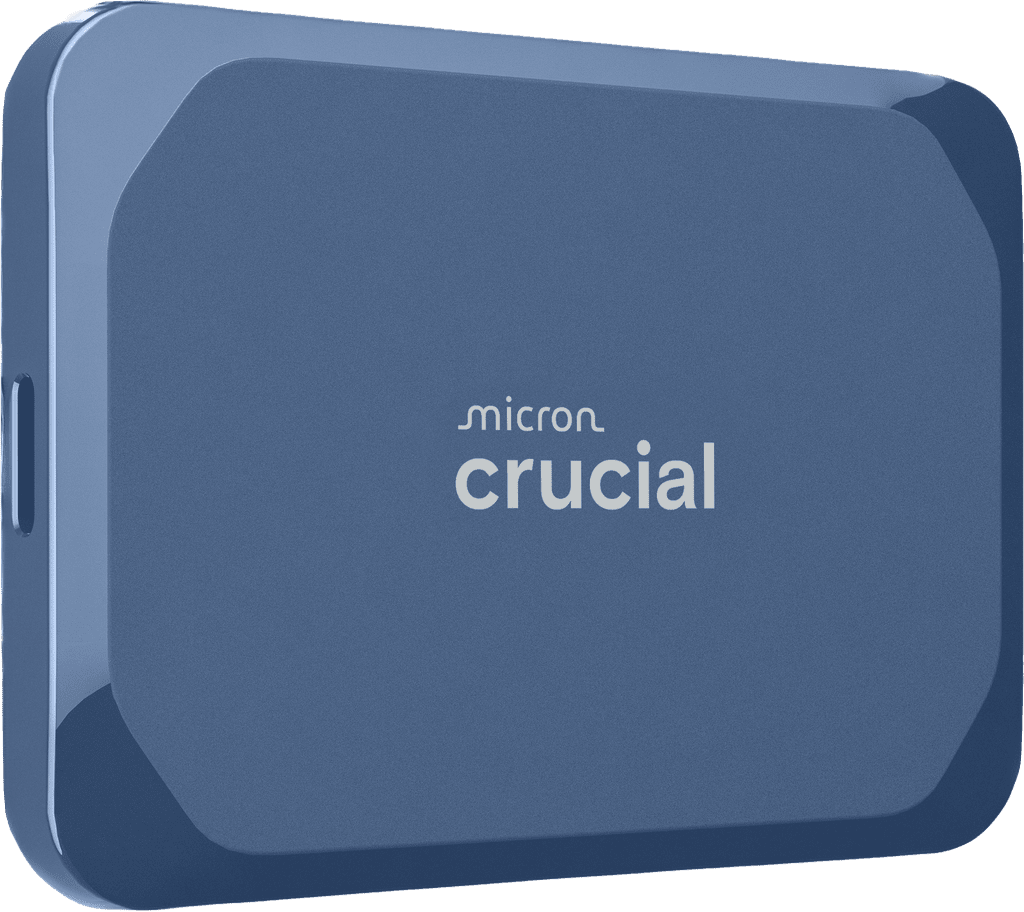
Crucial Solid-State Drives (SSDs)—including the lightning-fast Crucial T710, T705, and P-Series NVMe M.2 drives, the dependable MX500 and BX500 SATA series, and the X9 and X10 portable external drives—are widely trusted for their performance and value. However, like all flash-based storage devices, they are vulnerable to unexpected failure.
If your computer suddenly refuses to boot, displays a "Drive Not Initialized" error, or your external drive stops mounting, do not panic and avoid using DIY recovery software, which can permanently destroy degraded flash memory. The engineering specialists at Seattle Data Recovery possess the advanced cleanroom equipment and proprietary micro-soldering tools required to safely extract your critical data.
Common Crucial SSD Failure Modes
Our laboratory regularly handles failed Crucial SSDs suffering from both physical hardware degradation and logical firmware locking.
- Firmware "Panic Mode" Locks: Sudden power loss or incomplete write cycles can cause the flash translation layer (FTL) or firmware on drives like the Crucial P3 or P5 Plus to crash. The drive enters a perpetual busy loop, causing the system to hang or fail to recognize the SSD in the BIOS.
- Controller Failure & Thermal Degradation: High-performance Gen 4 and Gen 5 NVMe drives generate massive heat. Prolonged thermal stress can degrade the master controller chip or fracture its micro-solder connections to the board, completely cutting off access to the NAND flash chips.
- Bad Block Accumulation: Over time, the storage cells inside the NAND flash memory degrade naturally. When the accumulation of bad blocks exceeds the SSD’s factory-reserved over-provisioning space, the drive controller may instantly switch to a read-only mode or brick itself entirely.
- Broken USB-C Ports on External Drives: Portable Crucial X9 and X10 drives frequently suffer physical trauma. Accidental drops or cord tugs fracture the fragile surface-mounted USB-C joints inside the housing, resulting in zero power or intermittent connectivity.
Why Professional Recovery Beats DIY Software
When a solid-state drive begins to fail, its internal controller works overtime attempting to relocate damaged data blocks. Commercially available recovery software forces the unstable drive to execute continuous read commands, which rapidly accelerates hardware degradation and can lead to permanent data loss.
At Seattle Data Recovery, we bypass the malfunctioning controller by utilizing specialized hardware imagers. This allows us to stabilize the drive, manipulate the firmware registers directly, and safely extract the raw data directly from the NAND flash chips.
Our Specialized Recovery Process
- Risk-Free Evaluation: We inspect your Crucial SSD under a microscope to check for electrical shorts, blown capacitors, and damaged ports.
- Hardware-Level Mirroring: We isolate the storage media using specialized forensic imagers, ensuring we only read from the drive once to prevent further degradation.
- Advanced Chip-Off & Firmware Emulation: If the controller chip is dead, our micro-solder technicians can carefully remove the NAND flash memory chips and read them using external programmers, rebuilding your file system manually.
- Secure Data Verification: Once retrieved, your recovered files are transferred onto a brand-new, secure external storage device.
Trust Seattle's Local SSD Experts
Don't leave your irreplaceable files, photos, or business databases to chance. If your Crucial internal or external SSD is showing signs of failure, contact the local cleanroom experts at Seattle Data Recovery right away for a fast diagnosis and professional file extraction.
- Details
- Written by: Seattle Data Recovery
- Category: Expert Crucial SSD Data Recovery Services
Thermal Throttling and Controller Degradation: Crucial’s high-performance Gen 5 and Gen 4 NVMe drives (such as the T710, T705, and P5 Plus) push extreme data speeds that generate intense heat. If operated without an optimal heatsink, prolonged thermal stress can prematurely degrade the master controller chip. When a controller chip degrades or desolders from thermal expansion, the drive suddenly drops offline and fails to recognize in the BIOS.
Firmware Panic Mode: Sudden power loss or incomplete write cycles can cause the onboard firmware to crash into a locked "panic state." When this occurs, the SSD enters a perpetual busy loop, causing the system to hang at startup or display a "Device Not Ready" error. Because these components are surface-mounted, software utilities cannot bypass a firmware lock or repair a hardware-level controller failure.
If your high-speed Crucial NVMe drive has vanished from your BIOS or contains critical files trapped by a firmware lock, contact the specialists at Seattle Data Recovery for professional hardware-level extraction.
- Details
- Written by: Seattle Data Recovery
- Category: Expert Crucial SSD Data Recovery Services
NAND Flash Exhaustion & Bad Block Accumulation: As entry-to-midrange SATA drives age, the individual storage cells inside the NAND flash memory degrade. The Crucial BX500 and older MX500 models rely heavily on drive controller algorithms to manage bad blocks. Once the accumulation of bad blocks exceeds the drive's reserved over-provisioning space, the controller will automatically lock the SSD into a read-only mode, or fail completely, preventing the computer from booting.
Power Management & Capacitor Failure: The Crucial MX500 features integrated power-loss immunity, but the physical capacitors and power management ICs (PMICs) can fail over years of continuous electrical cycles. A failed PMIC completely cuts power to the NAND chips, making the drive appear entirely dead with zero signs of life or electrical activity.
When a legacy SATA drive stops booting or locks up your system, standard DIY software will often worsen the physical degradation. Having cleanroom engineers safely image the raw NAND chips is paramount. Trust your drive to Seattle Data Recovery to safely recover your legacy files.

- Details
- Written by: Seattle Data Recovery
- Category: Expert Crucial SSD Data Recovery Services
Physical Interface Stress & Connector Damage: Crucial's portable X9 and X10 lines are engineered for mobility, but the USB-C interface port is a frequent single point of failure. Repeated cable insertion, accidental drops, or minor tugs can fracture the surface-mounted solder joints connecting the USB-C port directly to the internal bridge board. This results in intermittent connectivity, device disconnection mid-transfer, or a complete failure to power on.
File System Corruption From Improper Unplugging: Because these drives are optimized for rapid 4K video editing and massive file transfers, disconnecting the USB cable while the drive is actively clearing its write cache can corrupt the partition table or damage the flash translation layer (FTL). The drive may prompt you with an error stating the device "needs to be formatted before use," hiding your actual data.
Do not allow Windows or macOS to format your drive in an attempt to fix it. If your portable Crucial X9 or X10 SSD has suffered a physical drop or shows a "raw file system" error, let the team at Seattle Data Recovery safely repair the interface or bypass the bridge board to retrieve your data.








