

Call 1 (425) 406-1174 to start a Data Recovery!
Solid State Drive (SSD) Repairs
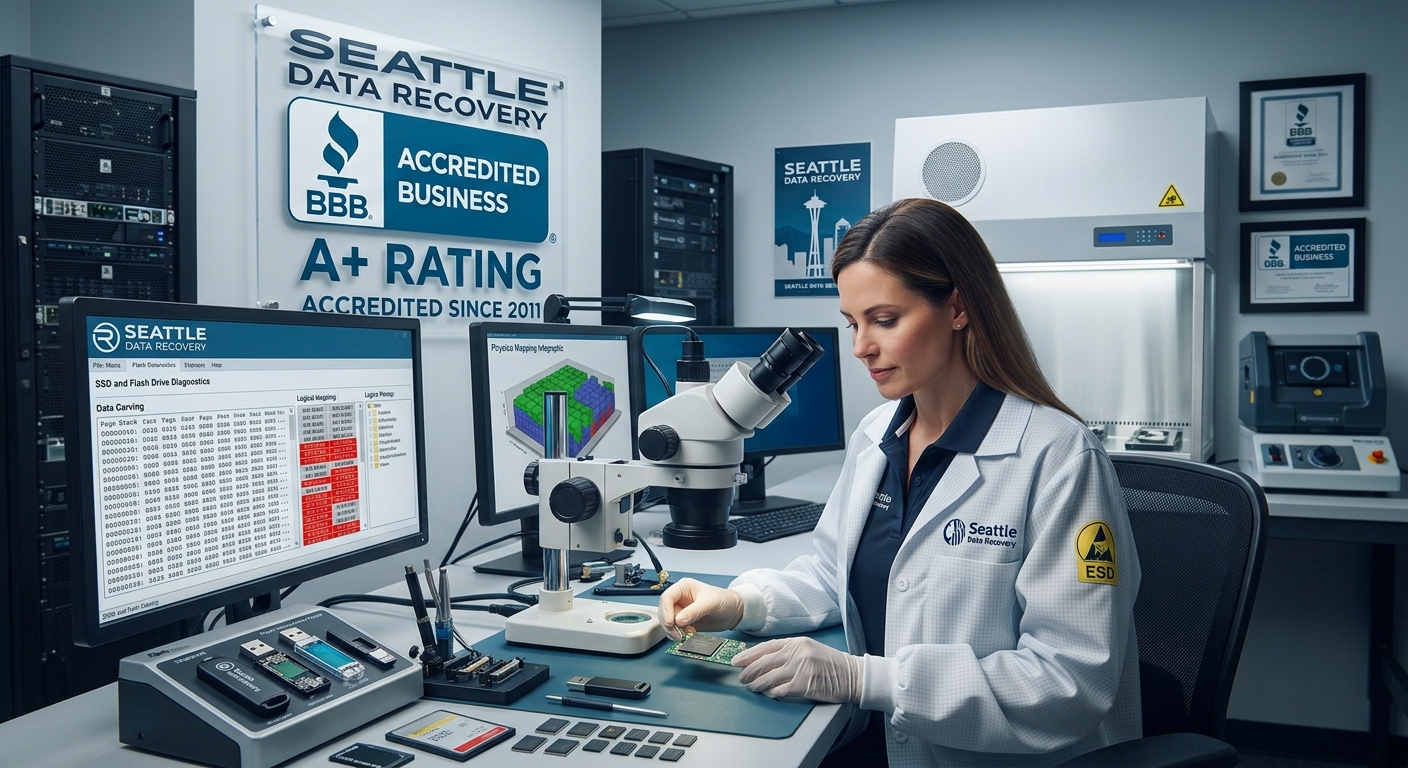
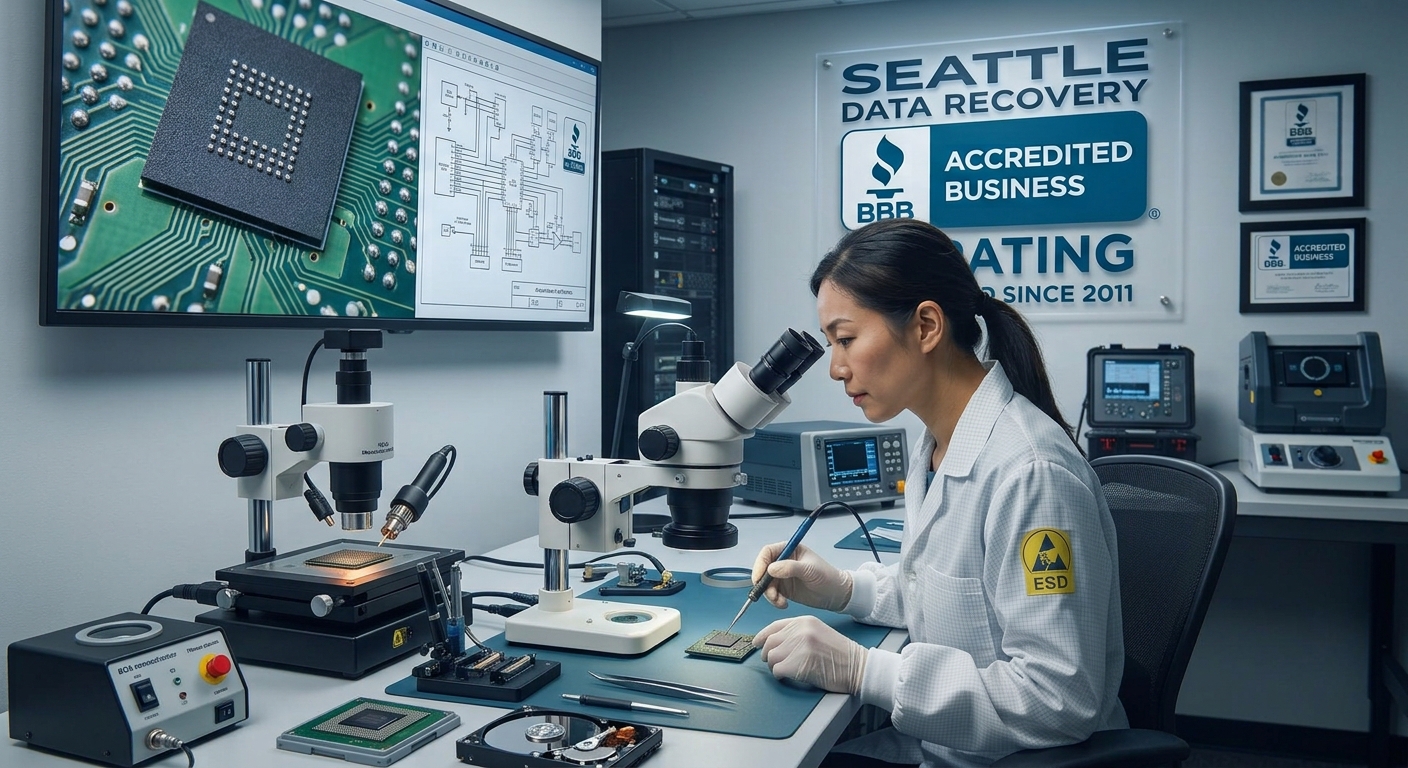
Understanding the Chip-Off Method
The Laboratory Workflow:
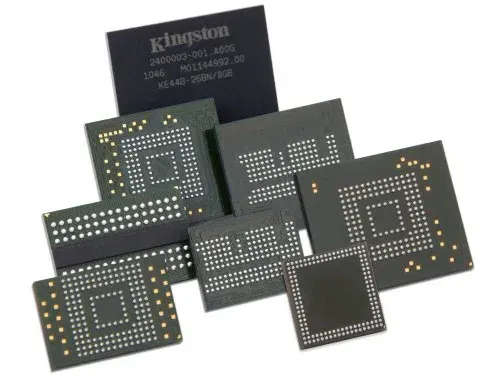
- Precision Desoldering: The damaged board is mounted under an industrial microscope. Using infrared BGA (Ball Grid Array) rework stations or high-end hot-air tools, the engineer heats the board to the exact solder melting point without overheating the sensitive silicon inside the memory chip.
- Safe Extraction: Using specialized micro-prying tools, the engineer lifts the NAND flash chip away from the dead circuit board.
- Chemical Cleaning & Reballing: Residual factory adhesive and oxidized solder are meticulously cleaned from the chip's microscopic contact pads using chemical solvents. If necessary, the chip is "reballed" with fresh solder spheres to ensure perfect electrical connectivity.
- Direct Hardware Reading: The isolated NAND chip is placed into a specialized physical socket adapter connected to a raw memory reader, completely bypassing the original device architecture.
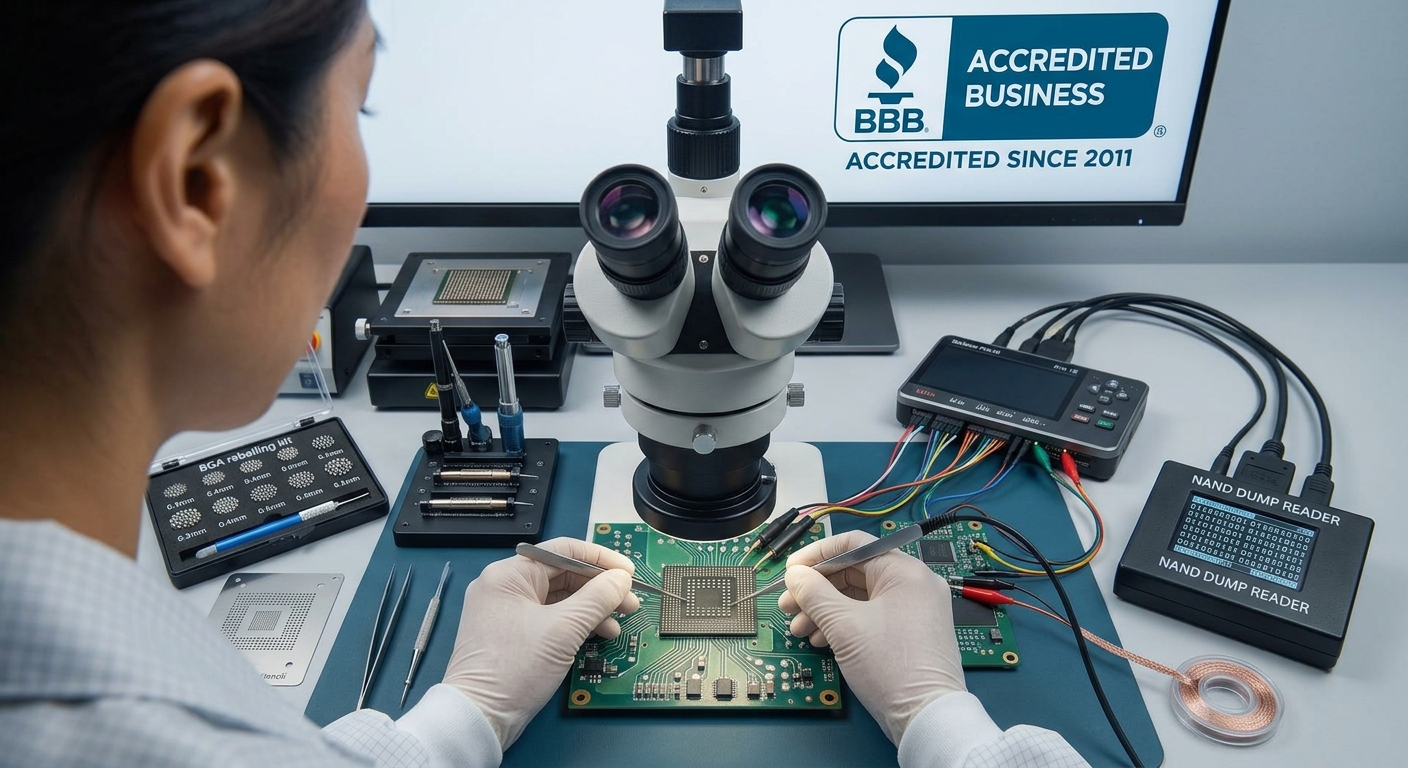
The Art of Bypassing the Controller
- Bypassing XOR Scrambling: To protect the memory and ensure high performance, controllers "scramble" data using unique mathematical XOR patterns. The recovery specialist must identify the exact algorithm used by that specific controller brand (e.g., Silicon Motion, Phison, Marvell) and apply a reverse pattern to unscramble the data.
- Reconstructing Bad Block Management: Flash memory naturally degrades. The controller constantly moves data out of failing blocks and hides them from the operating system. Engineers must manually reconstruct these map tables so files don't end up with random, corrupted gaps.
- Emulating Wear Leveling (The Page Allocation Table): Controllers do not save files in a straight line; they scatter pieces of a single file across multiple physical chips to prolong the drive's lifespan. Bypassing the controller means manually calculating the "logical block address" (LBA) to stitch the scattered pieces of your databases, videos, or records back into their original, perfect file structures.
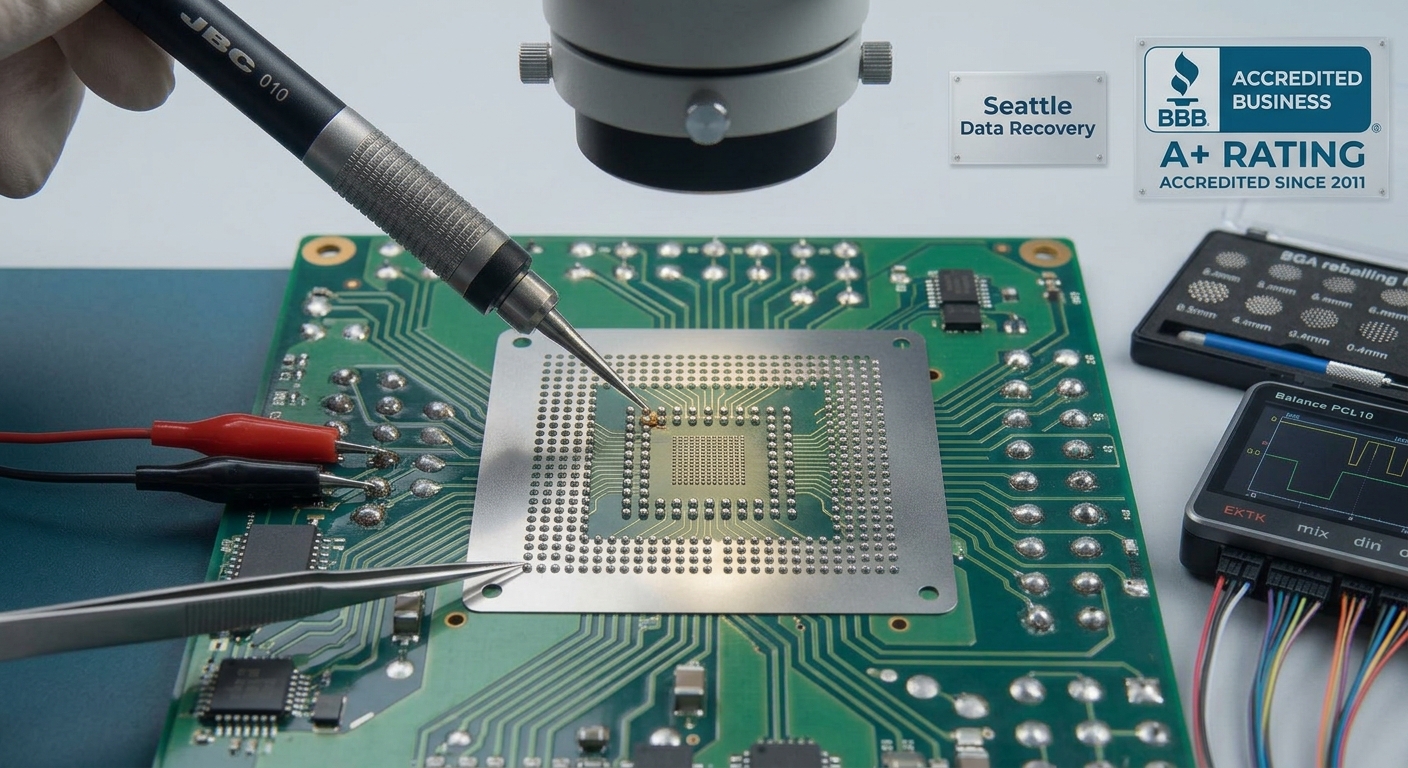
The Hardware Encryption Challenge: Apple Silicon & Modern NVMe
- Details
- Written by: Seattle Data Recovery
- Category: Solid State Drive (SSD) Data Recovery
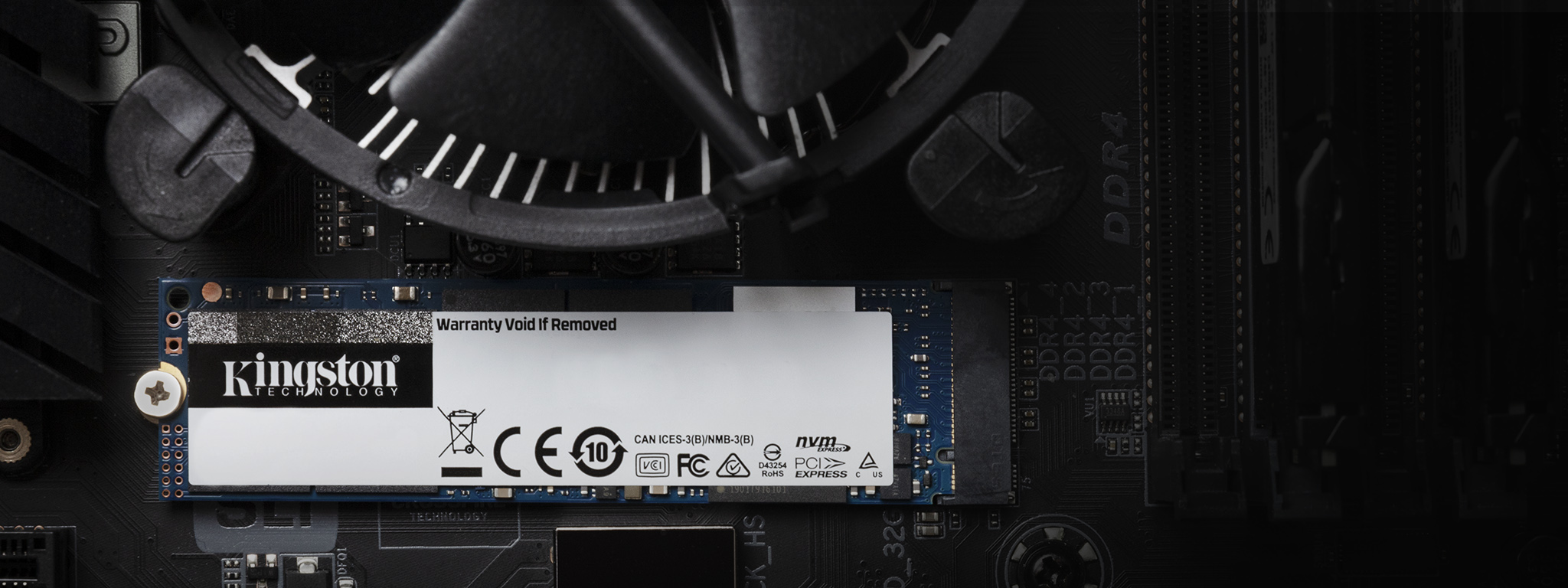
Introduction to M.2 SSDs
In today's high-tech landscape, M.2 SSDs (Solid State Drives) have emerged as the go-to option for speed and efficiency. With their compact size, these drives are particularly popular in laptops, notebooks, and other portable devices. Data storage needs have evolved as technology progresses, leading to the widespread adoption of M.2 form factors. Users prefer them not only for their modern design but also for their impressive performance. However, like any storage device, they are not immune to data loss, prompting a demand for professional data recovery services, particularly in Seattle.
The efficiency of M.2 SSDs, especially NVMe (Non-Volatile Memory Express) drives, cannot be overstated. They deliver faster data access and transfer speeds than traditional hard drives and earlier SSD models. Despite their advantages, users often face challenges from accidental deletions, software malfunctions, and even physical damage—hence the crucial role of data recovery experts. Seattle Data Recovery stands at the forefront of this field, equipped to restore files and provide hope to those grappling with data loss.
Understanding the M.2 Form Factor
M.2 drives represent a significant shift in storage device design. Unlike traditional 2.5-inch SSDs, M.2 drives utilize a slim, rectangular shape that fits seamlessly into modern computing devices. This form factor is engineered to save space while delivering power and performance. M.2 drives can connect through SATA or NVMe interfaces, with NVMe exhibiting superior speeds. Understanding the distinction between these two options is essential, as it impacts performance and recovery strategies should data loss occur.
Furthermore, M.2 drives feature varying capacities, accommodating everything from minimalist setups to high-capacity storage solutions. Their availability in micro and full-length cards opens doors for versatility in design, making M.2 SSDs attractive for technology enthusiasts and average users. Yet, despite their benefits, the inherent risks, such as data corruption, underscore the necessity for professional data recovery services to mitigate potential data loss.
The Risk of Data Loss: Why It Matters
Data loss is an urgent issue that can arise from various circumstances, impacting businesses and individuals alike. While technology is advancing rapidly, the vulnerabilities of storage devices like M.2 SSDs continue to pose challenges. Accidental deletions, driven by human error and software glitches, rank among the most common causes of data loss. When such events transpire, the first instinct may be to seek immediate solutions, which can lead to further complications. Properly understanding the risks is foundational for effective data recovery.
Notably, the potential for physical damage amplifies these risks. Users may inadvertently drop, spill, or otherwise compromise their SSDs, rendering them unreadable. In such instances, attempting to recover files without professional assistance may worsen the likelihood of data retrieval. Data recovery experts from Seattle Data Recovery emphasize that engaging their services early can be a game-changer. With the right tools and clean room facilities, they maximize the chances of restoring precious data while protecting the integrity of the damaged unit.
Read more: Restoring Hope: Seattle Data Recovery Recovers Lost Files from Damaged M.2 SSDs
- Details
- Written by: Seattle Data Recovery
- Category: Solid State Drive (SSD) Data Recovery
Over the past decade, the world of high-end solid-state drives (SSDs) has undergone a remarkable transformation. What began as fast SATA-based drives has advanced into blazing-fast NVMe storage solutions leveraging successive generations of PCI Express (PCIe) technology. This evolution has reshaped consumer expectations, professional workflows, and the broader data storage landscape in significant ways. For users in Washington State and beyond, understanding this progression is vital, especially for tech enthusiasts and professionals who demand peak performance and reliability from their SSDs.
We explore the history, technological milestones, and notable high-end consumer SSDs spanning the last ten years. We discuss the critical performance gains enabled by interface innovations and highlight the importance of expert data recovery services, such as those provided by Seattle Data Recovery, for SSD users.
The Dawn of High-End SSDs: SATA Dominance in the Early 2010s
At the beginning of the last decade, SSD technology was already making waves by outperforming hard disk drives (HDDs) in speed, durability, and power efficiency. The Samsung 850 Pro, introduced around 2014, epitomized the peak of SATA interface capabilities. As a SATA 6Gbps drive, it pushed the limits of the standard interface, delivering impressive sequential read/write speeds around 500-600 MB/s—near the maximum SATA theoretical bandwidth.
Despite the interface constraints, the Samsung 850 Pro earned rave reviews thanks to its excellent reliability, endurance, and consistent performance. It became a benchmark for high-end consumer SSDs in the SATA era and set high expectations for what solid-state storage could offer. Consumers across Washington State and worldwide adopted such drives to greatly enhance their computing experiences, whether for gaming, content creation, or professional applications.
The OCZ Vector and Vertex series played a crucial role slightly earlier in the decade. These drives challenged prevailing performance norms and eagerly pushed SATA-based storage towards its ultimate limits. Although OCZ was later acquired and absorbed by Toshiba, these products are notable for their role in accelerating mainstream SSD adoption.
The Breakthrough: Transition from SATA to NVMe PCIe
The limitations of the SATA interface became increasingly evident as software and system demands grew. To break through these bottlenecks, the industry embraced NVMe (Non-Volatile Memory Express) over PCI Express—a protocol explicitly designed for lower latency and higher bandwidth access to flash storage.
The advent of the Samsung 960 Pro in 2016 marked one of the first widely available M.2 NVMe drives aimed at consumers. This SSD set a new standard by leveraging PCIe 3.0 lanes, achieving sequential transfer speeds of up to 3,500 MB/s—several times faster than SATA SSDs.
The 960 Pro's robust performance redefined consumer expectations. It catalyzed the widespread adoption of M.2 NVMe drives for high-end desktops and laptops, particularly in tech hubs like Seattle and throughout Washington State. This shift enabled creative professionals, gamers, and power users to experience unprecedented speed and responsiveness.
With this new form factor and interface, new challenges around data management and recovery surfaced. Hence, specialized SSD data recovery solutions, such as those from Seattle Data Recovery, became increasingly important as more users relied heavily on NVMe drives for critical storage.
PCI Express 3.0: Consolidating NVMe Performance
Between approximately 2016 and 2020, PCIe 3.0 NVMe SSDs dominated the high-performance market segment. The Samsung 970 EVO Plus, released circa 2019, exemplified this phase by offering an extraordinary balance of speed, affordability, and endurance.
Featuring enhanced V-NAND technology and sophisticated firmware optimizations, the 970 EVO Plus consistently delivered peak sequential read speeds of around 3,500 MB/s and remarkable random I/O performance. This drive quickly became a favorite among content creators, enthusiasts, and professionals who required both high throughput and durability.
Other manufacturers also competed vigorously during this period, refining controllers, error-correction mechanisms, and thermal designs. Seattle Data Recovery noted a growing volume of SSD repair and recovery requests, which correlated with broader adoption as users pushed devices to their technological limits.
The Rise of PCIe 4.0: Doubling Bandwidth and Expectations
Around 2020, the arrival of PCIe 4.0 drove another revolution in consumer SSD speeds. Doubling the bandwidth per lane compared to PCIe 3.0, the new generation enabled sequential read/write speeds of approximately 7,500 MB/s—a remarkable leap that brought enterprise-only performance into the consumer domain.
Among the front-runners were the SK Hynix Platinum P41 and Solidigm P44 Pro, both launched circa 2022. These models excelled not only in blazing sequential speeds but also in random read/write operations, attributes that are critically important for everyday computing and demanding workloads.
Samsung's 990 Pro also debuted in this generation, cementing the company's reputation for innovation with improvements not just in raw speed but also power efficiency and superior software support. Around the same time, the WD Black SN850X emerged as a worthy competitor, offering comparable PCIe 4.0 performance and becoming a popular alternative for enthusiasts and gamers alike.
Throughout Washington State—home to many technology firms and professionals—such high-performance drives facilitated smoother workflows in video editing, 3D rendering, and gaming. The increased complexity and density of PCIe 4.0 SSDs also made expert data recovery services, such as those offered by Seattle Data Recovery, indispensable for safeguarding data against failures.
Transition to PCIe 5.0: Unlocking Extreme Speed and Efficiency
The current era of SSDs heralds the adoption of PCIe 5.0, which effectively doubles PCIe 4.0's bandwidth once more. Emerging around 2023 and continuing today, PCIe 5.0 NVMe SSDs push sequential read/write speeds past 10,000 MB/s, delivering the fastest consumer storage ever.
Early leaders such as the Crucial T700 and T705 models broke the 10,000 MB/s barrier by combining A+ Rated Accredited BBB Lab controller tech with the latest NAND flash innovations. Soon after, flagship drives like the WD Black SN8100 and SanDisk SN8100 raised the bar even higher. These SSDs offer extreme sequential speeds exceeding 14,000 MB/s and stand as an extraordinary testament to ongoing innovation.
This rapid increase in speed is accompanied by careful attention to drive endurance and thermal management, critical factors for sustained performance in high-demand environments. Consumers and enterprise users alike, including those in Washington State, stand to benefit immensely.
- Details
- Written by: Seattle Data Recovery
- Category: Solid State Drive (SSD) Repairs
Protecting Critical Infrastructure from Firmware Corruption
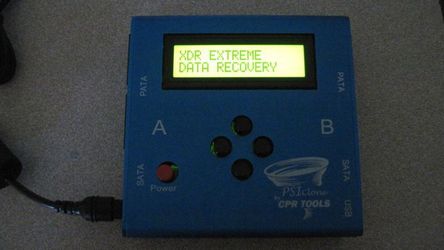
In today's enterprise environment, data storage devices such as SSDs are at the core of business operations. Among these, Dell Samsung enterprise SSDs are renowned for their performance, durability, and security, making them indispensable for many organizations. However, firmware corruption can pose a significant threat—leading to data loss, degraded performance, and even network-wide failures. To safeguard vital infrastructure, it is essential to implement effective firmware repair strategies. Seattle Data Recovery specializes in providing this vital service, leveraging tools like PSIClone, CPR Flash, and other advanced utilities to ensure the integrity and stability of your enterprise storage systems.
Firmware management is a complex but critical process that requires precision and expertise. The ability to update firmware reliably on Dell Samsung enterprise SSDs not only prevents potential failures but also enhances overall system longevity. In this comprehensive guide, we explore how firmware repair, driven by A+ Rated Accredited BBB Lab tools, can mitigate risks, optimize performance, and maintain the security of your enterprise network. Learn how Seattle Data Recovery's expertise ensures your data infrastructure remains resilient against firmware corruption and related threats.
Understanding Firmware and Its Significance in Enterprise SSDs
Firmware serves as the essential software layer embedded within SSDs, controlling hardware operations, managing data translation, and enforcing security protocols. In enterprise SSDs, such as Dell Samsung models, firmware accounts for not just operational efficiency but also ensures data integrity and security. Firmware issues—like bugs, security vulnerabilities, or corruption—often lead to device failures, data inaccessibility, and compromised network stability.
Proper firmware management is crucial! Failing to keep firmware updated or ignoring signs of corruption can result in significant consequences. For example, firmware bugs may cause data corruption or reduce the lifespan of drives, while security vulnerabilities might expose an enterprise to external threats. Therefore, maintaining up-to-date, verified firmware is a proactive approach to operational resilience and risk mitigation—highlighting the importance of professional firmware repair by trusted companies like Seattle Data Recovery.
The Threat of Firmware Corruption in Dell Samsung Enterprise SSDs
Firmware corruption in Dell Samsung enterprise SSDs may occur for many reasons, including power failures, software glitches, or malware attacks. Such corruption often manifests as drive failures, data inaccessibility, or drastic performance degradation. When firmware becomes corrupted, the drive may become "bricked"—rendered unusable and difficult to recover without specialized tools.
This severe impact extends beyond individual drives. Firmware issues can cascade into the entire network, causing system-wide instability. For organizations relying heavily on SSDs for hosting critical applications or storing sensitive data, the consequences include disrupted services, data breaches, and compromised security. Therefore, addressing firmware corruption promptly is vital to prevent operations from spiraling into costly downtime or data breaches.
- Details
- Written by: Seattle Data Recovery
- Category: Solid State Drive (SSD) Data Recovery
The Challenge of SSD Data Recovery in Washington State
In the rapidly advancing world of data storage, SSDs like the WD Black SN850X have become the gold standard for speed and reliability. However, when these drives fail, recovering data—especially complete folder and file structures—becomes a significant technical challenge. Seattle Data Recovery, situated in Washington State, stands at the forefront of these complexities, offering elite recovery capabilities that go beyond standard repair methods.
As more users adopt high-performance SSDs such as the WD Black SN850X and Samsung 990 Pro, understanding the intricacies of SSD failures and the specialized services required to retrieve data is critical. In this comprehensive exploration, we delve into why SSD recovery is difficult and how Seattle Data Recovery effectively restores files even under the most daunting conditions.
The Evolution of SSDs and Their Impact on Data Recovery
Solid State Drives have revolutionized data storage by replacing traditional hard drives with faster, more durable flash-based memory. Models such as the WD Black SN850X and Samsung 990 Pro are engineered for speed and endurance, pushing creative and professional workflows to new levels.
This evolution comes with a downside—data recovery methods that worked for spinning hard drives often fall short with SSDs. The internal architecture of SSDs, combined with advanced features like encryption and TRIM commands, creates new challenges for data recovery specialists.
Seattle Data Recovery leverages extensive knowledge of SSD architectures, enabling them to anticipate and mitigate these complications for Washington State clients.
Understanding Hardware Failures in WD Black SN850X SSDs
One of the most frequent yet complex issues SSD users face is hardware failure. In the case of the WD Black SN850X series, failure often centers around the controller or Printed Circuit Board (PCB), which functions as the drive's nervous system and command center.
When these components fail, the SSD becomes inaccessible, and typical DIY attempts to retrieve data quickly prove futile. Seattle Data Recovery's technicians specialize in diagnosing whether such failures are mechanical, electronic, or firmware-related, enabling them to formulate a precise recovery plan.
Unlike a Samsung 990 Pro with some similar components, the WD Black SN850X's hardware encryption adds another hurdle that requires specialized expertise to overcome.
- Details
- Written by: Seattle Data Recovery
- Category: Solid State Drive (SSD) Repairs
Ensuring Data Integrity and System Reliability: Expert Firmware Repair for Enterprise SSDs in Seattle
In today's data-driven world, enterprise storage solutions are the backbone of organizational workflows. Critical data stored on SSDs within servers and network appliances must be accessible, reliable, and secure. However, firmware corruption in Dell Seagate enterprise SSDs can threaten these essential attributes, often leading to catastrophic system failures. Fortunately, surveillance and intervention options, such as Seattle Data Recovery services, combined with advanced tools like CPR Flash and PSIClone, enable effective firmware repair. This article examines how these technologies are revolutionizing enterprise SSD maintenance, ensuring system stability, preventing network outages, and protecting valuable data.
The Importance of Firmware in Enterprise SSDs
Firmware acts as the embedded software that governs the operations of an SSD. It manages data flow, error correction, wear leveling, and power management functionalities critical to the device's optimal functioning. For Dell Seagate enterprise SSDs, this firmware must operate flawlessly; any corruption can cause the drive to become unstable, inaccessible, or even completely unusable. This poses a significant risk to organizations, especially when data loss or system downtime impacts vital operations.
In enterprise environments, these issues can be grave. Firmware corruption might occur due to power failures, firmware bugs, or compatibility issues with other hardware or software updates. As such, maintaining firmware integrity is paramount. Regular firmware checks, updates from the manufacturer, and preventative measures help ensure the drive's reliable operation. However, when corruption does occur unexpectedly, organizations require expert intervention—this is where Seattle Data Recovery's specialized firmware repair services come into play.
The Risks and Consequences of Firmware Corruption in Enterprise SSDs
Firmware corruption in a Dell Seagate enterprise SSD can have extensive consequences beyond simple drive failure. First, data stored on the SSD becomes inaccessible, which can paralyze business operations, especially in data centers or critical applications. Data loss may be inevitable without skilled intervention, and attempting to recover data from a corrupted drive manually is often futile or riskier than necessary.
Network stability also hangs in the balance. When an SSD is fundamental to a network's storage infrastructure and malfunctions, it can cause cascading failures, including system crashes, network outages, and security vulnerabilities. For businesses relying on these drives for RAID configurations, shared storage pools, or cloud services, this freeze can result in costly downtime, potential compliance issues, and even security breaches. Therefore, addressing firmware corruption swiftly and efficiently becomes an essential component of enterprise IT management.
- Seattle Data Recovery’s Enterprise SSD Firmware Updates
- SSD Firmware Repair: Seattle Data Recovery Leads the Way with CPR Tools and Western Digital Firmware Updates
- Enterprise Storage: Seattle Data Recovery Leads in Firmware Repair for Dell Kioxia SSDs with CPR Tools
- Seattle Data Recovery Triumphs: Restoring Complete Folder and File Structures from Crucial T700 / T705 SSDs in Washington State
Subcategories
Solid State Drive (SSD) Data Recovery
1. Consumer & Prosumer NVMe M.2 SSDs
- Samsung 980 Pro / 990 Pro Series: The most prevalent high-end NVMe drives on the market. Popular in labs due to sudden controller lockouts (often caused by critical firmware bugs or translation layer corruption) where the drive identifies by its internal factory alias rather than its true capacity.
- Crucial P-Series (P3, P5 Plus) & T-Series (T700 Gen5): Widely used for storage expansion. High-speed Gen5 drives generate immense heat, which can lead to premature component degradation, requiring specialized thermal reflow work or controller-bypass protocols.
- Western Digital Blue/Black NVMe (SN570, SN770, SN850X): Standard equipment across thousands of commercial and residential systems. Labs frequently treat these for translation layer (translator) allocation failures, where the drive loses track of how files are distributed across the physical flash blocks.
2. Apple Silicon & Board-Soldered NAND Flash
- Apple M-Series Integrated Storage (M1, M2, M3, M4 MacBooks): Because the NAND flash storage chips are permanently soldered directly onto the main logic board, standard extraction is impossible. If the logic board suffers a catastrophic electrical short, physical damage, or liquid spill, labs must perform advanced chip-off recovery [6a7e13c3].
- The Technical Process: Engineers carefully desolder the raw NAND chips using precise infrared or hot-air rework stations [6a7e13c3]. Because the data is hardware-encrypted by the Apple Secure Enclave processor, the chips must either be read via a donor board or reconstructed through raw hardware chip readers [6a7e13c3], making this one of the most technical and sought-after services.
3. Professional Portable & Creative Production SSDs
- SanDisk Extreme Portable / Pro SSDs: Extremely popular among photographers and videographers. These drives are frequently seen in labs due to hardware design vulnerabilities, such as fractured solder joints on internal components or complete controller shorts that require meticulous trace repair under a microscope.
- Samsung T-Series (T7, T7 Shield, T9): The standard field drive for content creators. While physically ruggedized, they frequently experience physical port shear (broken USB-C interfaces) or internal encryption controller lockouts.
- LaCie Rugged SSD & Rugged Pro: Built for extreme environments, but still vulnerable to sudden electrical surges or file system corruption over Thunderbolt connections, requiring internal bridge-board bypass procedures.
4. Enterprise, Datacenter & Server-Grade SSDs
- Intel / Solidigm D7 & D5 Series (e.g., P5510, P5316): Heavy-duty PCIe NVMe drives used in enterprise data centers for cloud storage and massive database logging. They feature complex power-loss protection (PLP) circuitry that can fail during sudden facility power drops, requiring micro-level capacitor replacement.
- Samsung Enterprise Series (PM9A3, PM1733): High-density U.2/U.3 and E1.S form-factor drives designed for enterprise server blades. Recovery involves navigating deeply proprietary enterprise firmware layouts and complex multi-channel controller configurations.
- Micron 7450 / 9400 Series: Heavily deployed in corporate network environments. These drives are brought to specialized laboratories when their internal wear-leveling algorithms or block-management structures become corrupted under massive, non-stop read/write loads.
NAND Flash Memory
Non-volatile memory chips (arranged in SLC, MLC, TLC, or QLC cells) that retain digital data even when the power is turned off.
SSD Controller
The "brain" or management unit that oversees data processing, reads and writes, error correction code (ECC), wear leveling, garbage collection, and host interface coordination.
DRAM Cache
Temporary volatile memory used for caching file tables, mapping data (Flash Translation Layer), and speeding up random read and write operations (though some budget drives are DRAM-less).
Firmware
Embedded software running on the controller that dictates how the drive manages data blocks, garbage collection, and lifespan optimization.
Interface / Connector
The physical and logical standard that connects the SSD to the host system—such as SATA, PCIe, or NVMe.
Power Management Modules
Integrated circuits that regulate and distribute clean, stable power to the internal components.
Temperature Sensors / Thermal Controllers
Hardware parts that monitor heat generation and throttle performance or run cooling elements to prevent overheating
Encryption Engines
Dedicated hardware circuitry that handles real-time data encryption and security features.
Printed Circuit Board (PCB)
The main circuit board that houses and electrically connects all of the individual chips and components.








