

Call 1 (425) 406-1174 to start a Data Recovery!
RAID Array Data Recovery
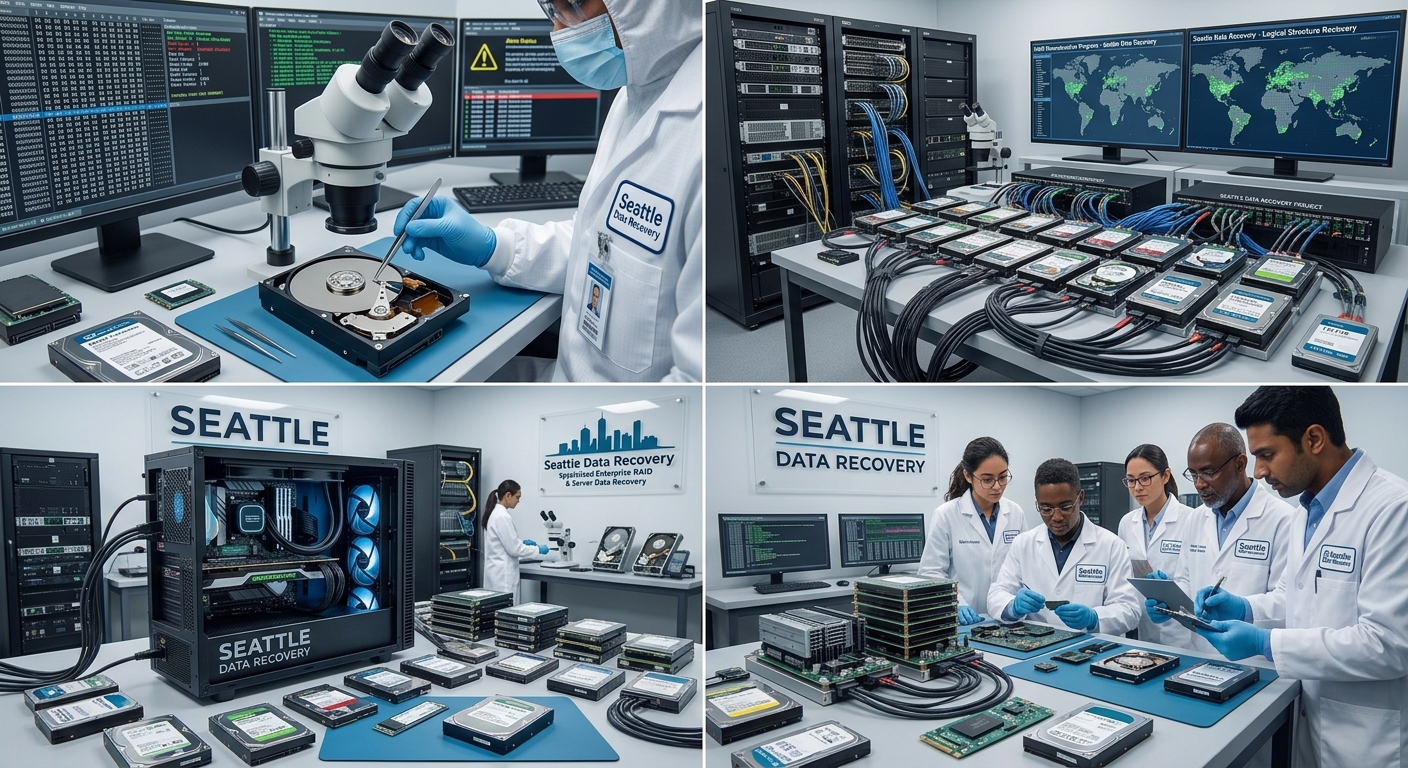
High-Stakes RAID Recovery Scenarios in the Seattle Tech Corridor
- Multi-Drive Failures in Redundant Arrays (RAID 5 / RAID 6): While RAID 5 can tolerate a single disk failure, massive electrical surges—such as those caused by winter windstorm power grid drops in Seattle—frequently force two or more drives offline simultaneously, causing the entire logical volume to collapse.
- NAS Controller and Enclosure Failures: In many business environments, the physical disks remain entirely healthy, but the underlying hardware controller or internal Linux-based file system metadata (
mdadmconfigurations, ext4, or Btrfs) becomes severely corrupted, rendering the network shares completely unreadable. - RAID 0 Striping Failures: Because RAID 0 focuses entirely on speed by striping data across multiple drives without any built-in parity or redundancy, the failure of just one single drive instantly destroys the entire file structure.
Institutional Case Study: RAID 0 Emergency Recovery for the Catholic Church in Washington State
The Technical Challenges & Risks
The Laboratory Intervention Workflow
- Hardware-Level Diagnostic Isolation: The failed physical drive was isolated inside our ISO 5 cleanroom. Engineers bypassed the broken hardware controller entirely, using advanced hardware emulators to stabilize the drive's microcode and read the unstable sectors safely.
- Bit-Stream Raw Cloning: Write-blocked, sector-by-sector clones were generated for every single drive in the array. This process ensured that the original parish school drives remained completely unaltered, preserving a strict evidentiary forensic standard.
- Virtual Block Realignment & Re-Stitching: Utilizing proprietary software emulation tools, our specialists calculated the original controller's block size, drive ordering, and offset parameters. This allowed us to virtually reconstruct the striped data architecture without needing the original broken server hardware.
- 100% File System Extraction: By successfully rebuilding the virtual parameters, the laboratory bypassed the corruption and extracted 100% of the uncorrupted files, safely exporting the school’s entire historical and operational infrastructure onto modern, secure solid-state storage.
Secure B2B Intake at Our Ballard Laboratory
- Details
- Written by: Seattle Data Recovery
- Category: Enterprise Storage Data
- Cleanroom Physical Restoration: Our engineers extracted all eight drives from the Supermicro hot-swap trays. The physically crashed Drive 1 was transferred directly into our ISO Class 5 Cleanroom. Under microscopic magnification, our technicians carefully unsealed the drive, cleaned microscopic debris off the platters, and executed a high-precision platter swap into a perfectly calibrated OEM chassis with a functioning spindle assembly.
- Firmware Optimization & Sector Reading: Drive 2 (the firmware-damaged disk) was connected to our specialized hardware data recovery imagers. We modified the drive's internal firmware microcode to bypass background error-retry loops, allowing our imagers to safely clone 100% of the raw, bit-level sectors before the disk could degrade further.
- Reverse-Engineering MegaRAID Metadata: LSI MegaRAID controllers write unique configuration stamps at the end of every drive to track the RAID geometry (virtual disk sequence, stripe sizes, and sector offsets). Standard operating systems cannot read these drives natively when pulled from a broken server. Our recovery specialists loaded the eight bit-level clones onto our advanced array reconstruction benches, stripped away the proprietary controller headers, and reverse-engineered the exact configuration math. By stitching the virtual volume back together, we successfully repaired the underlying Linux Ext4 file structure and achieved a 100% complete recovery of the client's development assets.
- The Target Build: High-performance ASUS PCIe NVMe expansion cards loaded directly into the Supermicro server's open PCIe slots.
- The High-Density Build: By leveraging motherboard PCIe slot bifurcation, we fit 4 ultra-fast M.2 NVMe SSDs per single PCIe slot. By configuring these in a software-defined RAID matrix, we strip away standard bottleneck limitations, allowing your server to process heavy database workloads and virtual machines simultaneously at blistering performance up to 7,000+ MB/s.
- The Target Build: Converting your server front-end into a dedicated 2.5-Inch SFF Enterprise SSD Array.
- The Hardware Architecture: Powered by server-grade enterprise U.2/U.3 NVMe or SAS 2.5" SFF solid-state drives, loaded with built-in hardware Power Loss Protection (PLP) via internal capacitor arrays.
+-------------------------+-----------------------------------------+-----------------------------------------+-----------------------------------------+

| Performance Metric      | Legacy Supermicro HDD Setup             | PCIe NVMe (ASUS Card) Upgrade           | SFF 2.5" Enterprise SSD Array           |
+-------------------------+-----------------------------------------+-----------------------------------------+-----------------------------------------+

| Form Factor Profile     | Bulky 3.5" Mechanical Drive Trays       | Internal PCIe Expansion Slots           | 2.5" SFF Hot-Swappable Front Bays      |
| Storage Medium          | Friction-heavy mechanical spinning disks| Pure solid-state NVMe flash memory cells| Server-grade U.2/U.3 NVMe or SAS Flash |
| Real-World Read/Write   | ~150 MB/s - 450 MB/s sequential max     | Blistering speeds **up to 7,000+ MB/s** | Sustained high IOPS (Up to 4,000 MB/s) |
| Power Outage Security   | High risk of unwritten file corruption  | Built-in hardware Power Loss Protection | Full Hardware-Level PLP Protection     |
| Maintenance Design      | Hot-Swappable (But slow rebuilding)     | Internal Workstation/Motherboard Fixed  | Hot-Swappable (Near-Instant Rebuilding)|
+-------------------------+-----------------------------------------+-----------------------------------------+-----------------------------------------+
- Hardware Power Loss Protection (PLP): Consumer solid-state drives lack internal power safety nets. If your facility suffers a sudden blackout or power surge, active cache data is lost or corrupted. The enterprise-class PCIe and 2.5" SFF SSD targets we deploy feature built-in hardware PLP capacitors. They provide enough temporary emergency electrical power to safely write all in-transit cache data into secure flash storage cells during a sudden power loss event, completely preventing volume corruption.
- Sustained Enterprise IOPS: While consumer SSDs offer fast burst speeds that quickly drop off during large transfers, enterprise-grade solid-state arrays maintain stable, predictable, high-speed input/output operations under unrelenting, parallel multi-user enterprise workloads.
- Elimination of Mechanical Failure Points: By stripping away spindle motors, delicate read heads, and mechanical platters, you eliminate 90% of traditional storage hardware failure risks.
- Details
- Written by: Seattle Data Recovery
- Category: RAID Performance
Direct Comparison: HDD RAID vs. 2.5" SSD RAID
| Feature | Legacy HDD RAID | Upgraded 2.5" SATA SSD RAID |
|---|---|---|
| Sequential Read/Write | ~150–250 MB/s per drive | ~500–550 MB/s per drive (Scales higher in RAID 0/5) |
| Random IOPS | ~75–200 IOPS (Very slow) | Up to 90,000+ IOPS (Instant responsiveness) |
| Access Latency | 10–20 milliseconds (Mechanical seek time) | Under 0.1 milliseconds (Near-instantaneous) |
| Rebuild Times | Days (High stress, prone to secondary failure) | Hours (Fast recovery, minimizing data loss windows) |
| Acoustics & Power | Loud clicks, high vibration, high power draw | Completely silent, zero vibration, low power consumption |
Key Benefits of the Switch
Eliminating the Mechanical Bottleneck
- Instantaneous Access Times: HDDs must physically move a mechanical arm to find data. SSDs use flash memory, dropping latency from milliseconds to microseconds.
- Massive IOPS Multiplication: The random read/write performance jumps by hundreds of times. This completely eliminates system stuttering when handling thousands of small files, running virtual machines, or hosting local databases.
Safer, Drastically Faster RAID Rebuilds
- Reduced Window of Vulnerability: When an HDD fails in a RAID 5 or 6 array, rebuilding a replacement drive can take days due to slow mechanical write speeds. During this time, the array is degraded and vulnerable. 2.5" SSDs can rebuild the same capacity in a fraction of the time, dramatically reducing the risk of a catastrophic multi-drive failure.
- No Mechanical Wear During Rebuilds: Rebuilding an HDD array subjects the remaining spinning disks to intense, continuous physical stress, often triggering a secondary mechanical failure. SSD rebuilds are purely electronic.
True Drop-In Replacement (Zero Infrastructure Changes)
- Form Factor Compatibility: 2.5" SATA SSDs use the exact same standard SATA data connectors and SATA power cables as 3.5" or 2.5" HDDs.
- No PCIe or NVMe Requirements: You do not need modern M.2 slots, PCIe bifurcation support, or a new motherboard. You simply pull out the old hard drives, slide in the 2.5" SSDs (using simple 3.5"-to-2.5" adapter brackets if necessary), and configure the array on your existing hardware or software RAID controller.
Lower Power, Heat, and Total Silence
- Thermal Efficiency: SSDs have no motors, meaning they generate significantly less heat. This lowers the ambient temperature inside your server chassis or PC tower, extending the lifespan of surrounding components.
- Acoustic Relief: Replacing an array of spinning, vibrating hard drives with silent flash storage instantly eliminates the constant background hum and click-clack noise of your storage system.
- Details
- Written by: Seattle Data Recovery
- Category: Enterprise Storage Data
- The Failure Profile: These setups are typically configured in demanding RAID 5 or RAID 6 configurations to balance extreme capacity with fault tolerance. Because 12 mechanical hard drives generate severe rotational vibration and high thermal loads when positioned right next to one another, an older 12big running legacy desktop-class disks is highly prone to multi-drive degradation. If two or three disks drop offline simultaneously due to cascading bad sectors or a hardware controller failure, the internal Linux-based software RAID mapping blocks collapse completely. [1]
- The Modern Seagate Target: We extract the raw media and transfer your recovered data pool directly into a modern rackmount array packed with Helium-sealed Seagate Exos Enterprise HDDs, or transition your live editing workspace into an ultra-dense array utilizing Seagate Nytro Enterprise SAS or NVMe SSDs to permanently eliminate mechanical failure rates. [1, 2]
- The Failure Profile: The 4big Quadra houses four internal SATA disks and utilizes an early iteration of native hardware RAID controllers. The primary threat to these legacy units is electronic wear. After 10+ years of continuous service, the internal power supplies and bridge boards dry out and spike, causing severe firmware corruption directly across the drives' system areas or scrambling the RAID 5 structure parity metadata. [1]
- The Modern Seagate Target: Because modern workstations lack legacy FireWire or eSATA ports, we modernize 4big Quadra clients by transferring their recovered archives onto next-generation Seagate Exos drives configured in a high-speed RAID 6 framework, allowing the deployment of full Type-C and Thunderbolt backward compatibility interfaces.
- The Failure Profile: These units operate as true Network Attached Storage (NAS) boxes running early iterations of embedded Linux operating systems. When a 5big Network 2 array fails, it is often due to a corrupted operating system partition inside the NAS firmware or a dual-drive block failure within its internal
mdraidsoftware configuration. Standard operating systems cannot read these raw Linux Ext3/Ext4 partition matrices when pulled from a broken NAS enclosure. - The Modern Seagate Target: Our engineers bypass the proprietary LaCie network interface layers entirely to execute bit-level clones of each drive. We stitch the virtual software array back together and securely migrate your network file structures onto high-performance, enterprise-grade Seagate Nytro Solid State Drives for instantaneous local server speeds and integrated hardware Power Loss Protection (PLP). [1]
+-------------------------+-----------------------------------------+-----------------------------------------+
| Legacy LaCie Enclosure  | Internal Disk Density & Interface       | Recommended Modern Seagate Target       |
+-------------------------+-----------------------------------------+-----------------------------------------+
| LaCie 12big Tower       | 12x 3.5" Drive Bays (Thunderbolt 3)     | Seagate Exos RAID 6 or Nytro SSD Matrix |
| LaCie 4big Quadra       | 4x 3.5" Drive Bays (eSATA / FireWire)   | Seagate Exos Premium Helium Arrays      |
| LaCie 5big Network 2    | 5x 3.5" Drive Bays (Gigabit Ethernet)   | Custom Seagate Nytro PLP SSD Server RAID|
+-------------------------+-----------------------------------------+-----------------------------------------+
- Rotational Wear Mitigation: For high-density enclosures like the 12big, we use customized, temperature-regulated hardware imagers to read sectors stably without allowing fragile, aging drive bearings to seize mid-transfer.
- Linux MDRAID Reverse Engineering: For network-attached models like the 5big Network 2, our data recovery specialists analyze the structural layout of the disk images to manually trace the original stripe sizes and disk sequence order, fully extracting your critical company files even when the original LaCie motherboard is dead. [1]
- Details
- Written by: Seattle Data Recovery
- Category: RAID Array Data Recovery
POST Error 1716(Unrecoverable Media Errors Detected):- Context: The controller flagged severe Unrecoverable Media Errors on physical disks during background surface analysis (ARM scans) or an active array rebuild sequence.
- Action Plan: The error will remain flagged until the damaged sectors are explicitly overwritten. Closely monitor the physical drive health logs. If localized sector reallocation pools are exhausted, isolate the disk and replace it before a total secondary breakdown happens.
POST Error 1779(Logical Drive Drive-Missing Override):- Context: The controller discovered a replacement drive or a drive that re-appeared after being marked dead, but the parent logical drive remains locked down in a disabled state to protect the file system. The system halts execution at boot with an
F1/F2prompt. - Action Plan: Pressing
F1continues booting with the logical volume safely offline, allowing deep inspection inside the HPE Smart Storage Administrator (SSA). PressingF2signals the controller to re-enable the logical array and accept the risk of potential localized data loss.
- Context: The controller discovered a replacement drive or a drive that re-appeared after being marked dead, but the parent logical drive remains locked down in a disabled state to protect the file system. The system halts execution at boot with an
Failed Array Controller Lockup Code: 0x[Hex]:- Context: A catastrophic microkernel lockup occurred on the ASIC processing unit of the HPE Smart Array card. System execution halts, and the storage array goes entirely dark.
- Action Plan: Collect the explicit hex string provided by the POST lockup line, clear static charges from the PCIe slots, and confirm the firmware is updated. If the lockup code persists after a cold restart, the physical controller card must be replaced.
- Details
- Written by: Seattle Data Recovery
- Category: RAID 6 (Striping with dual distributed parity)
- Hardware Burnout: The RAID controller's processor overheats, experiences an electrical surge, or its onboard cache memory (NVRAM) fails.
- Firmware Bugs: A sudden power loss or system crash during a firmware update corrupts the controller's structural map of the array.
- Technical Deep Dive: The True Western Digital Enterprise Hardware Inside G-RAID Enclosures
- The Top Western Digital Enterprise Drives Driving Today’s Business Servers
- Case Study: Recovering a Crashed TrueNAS Core Cluster ZPOOL & Upgrading to Next-Gen Solid-State Storage Infrastructure
- Case Study: Recovering a Crashed Dell PowerEdge Rack Server Array & Upgrading to Next-Gen Enterprise Solid-State Infrastructure
Subcategories
RAID Performance
Data Recovery and Seamless Migration to New High-Performance RAID Systems
The Recovery-to-High-Performance RAID Pipeline
Phase 1: Forensic Extraction and Structural Alignment
- Any failing drive members from your old system (whether clicking hard drives, dead SSDs, or a degraded multi-disk RAID) are stabilized inside our ISO 5 Cleanroom or micro-soldering stations.
- We utilize hardware imagers like the PC-3000 to create a bit-for-bit digital clone of your data layers.
- If your original file structure was fractured, our engineers manually recalculate block sizes, parity rotations, and stripe patterns to virtually reconstruct your original databases, virtual machines, or media catalogs onto our secure laboratory servers.
Phase 2: Building Your New High-Performance Storage Array
- All-Flash NVMe RAID Arrays: For hyper-speed video editing bays (4K/8K production) or heavy SQL database environments, we build all-flash arrays that deliver massive input/output operations per second (IOPS) and eliminate mechanical bottlenecks entirely.
- Resilient Enterprise RAID Topologies: Depending on whether your organization prioritizes absolute write speeds or total fault tolerance, we configure new enterprise hardware enclosures into optimized RAID 5, RAID 6, or RAID 10 environments.
- Next-Generation File Systems: We structure the new arrays using cutting-edge, self-healing file systems like ZFS, Btrfs, or modern APFS Containers to ensure maximum data integrity and automatic block-level error checking.
Phase 3: High-Speed Direct-Attached Bitstream Migration
- At Seattle Data Recovery, we bridge our forensic imaging servers directly to your new high-performance RAID enclosure using high-bandwidth pipelines, such as 10GbE/40GbE network interfaces or Thunderbolt 4 / PCIe Direct-Attached Storage (DAS) buses.
- This allows us to pipe your recovered data onto the new drives at maximum hardware line speed, fully verifying every block with cryptographic checksums to guarantee that original file names, date timestamps, and complex directory hierarchies remain 100% intact and uncorrupted.
Enterprise-Grade Compliance and Total Physical Security
- Strict HIPAA & SOC 2 Compliance: We maintain an ironclad internal chain of custody to protect financial ledgers, legal assets, and Protected Health Information (PHI) throughout both the extraction and migration workflows.
- Exclusive Physical Security: Our laboratory is located inside a secure professional medical building with strictly monitored perimeters, minimizing outside traffic and protecting high-value business storage assets.
- Secure Hardware Decommissioning: Old, failed drives that are replaced during the recovery process undergo verified physical destruction, ensuring no data residue ever leaves our laboratory.
Operational Checklist for IT Managers Facing Array Collapse
- Sever Power to Noisy Enclosures: If a drive inside your old array begins clicking or beeping, shut the unit down instantly. Forcing an unstable mechanical drive to keep spinning can physically score the platters, making recovery impossible.
- Do Not Attempt an Automatic "Rebuild" on Failing Hardware: Forcing a degraded RAID to try and rebuild itself with a failing disk puts immense strain on the remaining healthy drives. This thermal and mechanical stress frequently triggers a secondary drive failure, collapsing the volume permanently.
- Deploy Clean Target Media: Never attempt to patch data back onto a drive that has previously failed or shown bad sectors. Temporary software fixes will inevitably drop out again, risking secondary data loss.
Enterprise Storage Data
+------------------------+---------------------------------------+---------------------------------------+

| Feature                | Standard Desktop/Laptop HDD           | Enterprise HDD                        |
+------------------------+---------------------------------------+---------------------------------------+

| Workload Rating        | ~55 TB / year (Intermittent use)      | 550+ TB / year (24/7/365 Continuous)  |
| MTBF (Reliability)     | ~1 Million Hours                      | 2.0 to 2.5 Million Hours              |
| Vibration Tolerance    | Low (Prone to failure in multi-drive) | High (RV Sensors stabilize multi-drive)|
| Warranty & Quality     | 2–3 Years (Standard components)       | 5 Years (Premium, heavy-duty parts)   |
+------------------------+---------------------------------------+---------------------------------------+
- Standard HDDs are designed for typical 8-hour workdays. If placed into a multi-drive server or network-attached storage (NAS) environment, the combined rotational vibration of surrounding disks will quickly degrade and destroy standard consumer drives.
- Enterprise HDDs feature Rotational Vibration (RV) sensors and robust mechanical parts. They are engineered to spin constantly in dense, high-vibration rackmount chassis without losing data integrity.
The Scenario: A client brought us a failing 8-Drive HDD RAID 6 array from a corporate file server.Our Solution: After successfully cloning and recovering 100% of the data in our lab, we didn’t just dump the files onto standard external drives. To ensure business continuity, we rebuilt and transferred the data onto a brand-new Enterprise HDD RAID array utilizing premium enterprise disks. For clients looking to future-proof their operations, we frequently use this opportunity to upgrade them to an Enterprise SSD RAID array, cutting data access times from milliseconds to microseconds.
+------------------------+---------------------------------------+---------------------------------------+

| Feature                | Standard Laptop/Desktop SSD           | Enterprise SSD                        |
+------------------------+---------------------------------------+---------------------------------------+

| Power Loss Protection  | None (Data in transit can be lost)    | Hardware PLP (Capacitors save data)   |
| Write Endurance (TBW)  | Low (Designed for casual usage)       | Extremely High (Constant write cycles)|
| Performance Stability  | High burst, throttles under heavy load| Consistent, sustained peak IOPS       |
+------------------------+---------------------------------------+---------------------------------------+
- Standard SSDs excel at quick bursts of speed—like opening a laptop application or booting up a PC. However, during prolonged business workloads, they quickly overheat, exhaust their cache, and experience severe performance drops. Crucially, they lack protection against sudden power outages.
- Enterprise SSDs feature Power Loss Protection (PLP) via onboard capacitors. If the power cuts out, the drive has enough temporary hardware power to safely flush data from its volatile cache into safe storage. They also boast massively superior Terabytes Written (TBW) endurance ratings.
The Scenario: We recently recovered a premium G-RAID PRO 2 dual-drive hardware array—a high-performance enterprise enclosure relied upon by creative professionals and businesses.Our Solution: To match the exact enterprise-grade quality, speed, and hardware-encrypted reliability of the original system, we transferred the recovered data onto a top-tier SanDisk Professional PRO-G40 ultra-rugged dual-mode drive, ensuring the client's workflow didn't miss a beat.
- High Density: We can fit 4 ultra-fast NVMe M.2 SSDs per single PCIe slot.
- Unmatched Speed: By configuring these in a RAID array, we strip away standard bottleneck limitations, allowing your server to process heavy database workloads, virtual machines, and local applications simultaneously.
- We build massive, hot-swappable arrays using Enterprise 2.5" SSDs.
- These arrays provide the sustained IOPS, hardware-level Power Loss Protection, and structural reliability needed to keep data centers running 24/7/365 without degradation.
RAID 0 (Striping)
Splits data evenly across two or more drives without redundancy or parity. It offers high read and write speeds, but a failure of any single drive destroys the entire array. Requires a minimum of 2 drives.
RAID 1 (Mirroring)
Writes identical data to all drives in the set. It provides high reliability and read performance, but usable storage is cut in half (50% capacity). Requires an even number, with a minimum of 2 drives.
RAID 5 (Striping with distributed parity)
Stripes data and rotates parity information across all drives. It tolerates the failure of a single drive while maintaining good read speeds. Requires a minimum of 3 drives.
RAID 6 (Striping with dual distributed parity)
Similar to RAID 5, but calculates two sets of parity data instead of one. It can survive the simultaneous failure of up to two drives. Requires a minimum of 4 drives.
RAID 10 (RAID 1+0 - Striping of mirrors)
Combines mirroring and striping by creating mirrored pairs and striping data across them. It delivers high performance and strong fault tolerance (tolerating one drive failure per mirrored pair), using 50% of total capacity. Requires a minimum of 4 drives.
RAID 50 (RAID 5+0)
Combines data striping (RAID 0) across multiple RAID 5 sub-arrays. It improves performance and can survive the loss of one drive in each RAID 5 sub-array. Requires a minimum of 6 drives.
RAID 60 (RAID 6+0)
Combines data striping (RAID 0) across multiple RAID 6 sub-arrays. It tolerates up to two drive failures in each RAID 6 sub-array. Requires a minimum of 8 drives.








