Call 1 (425) 406-1174 to start a Data Recovery!
MacBook Data Recovery
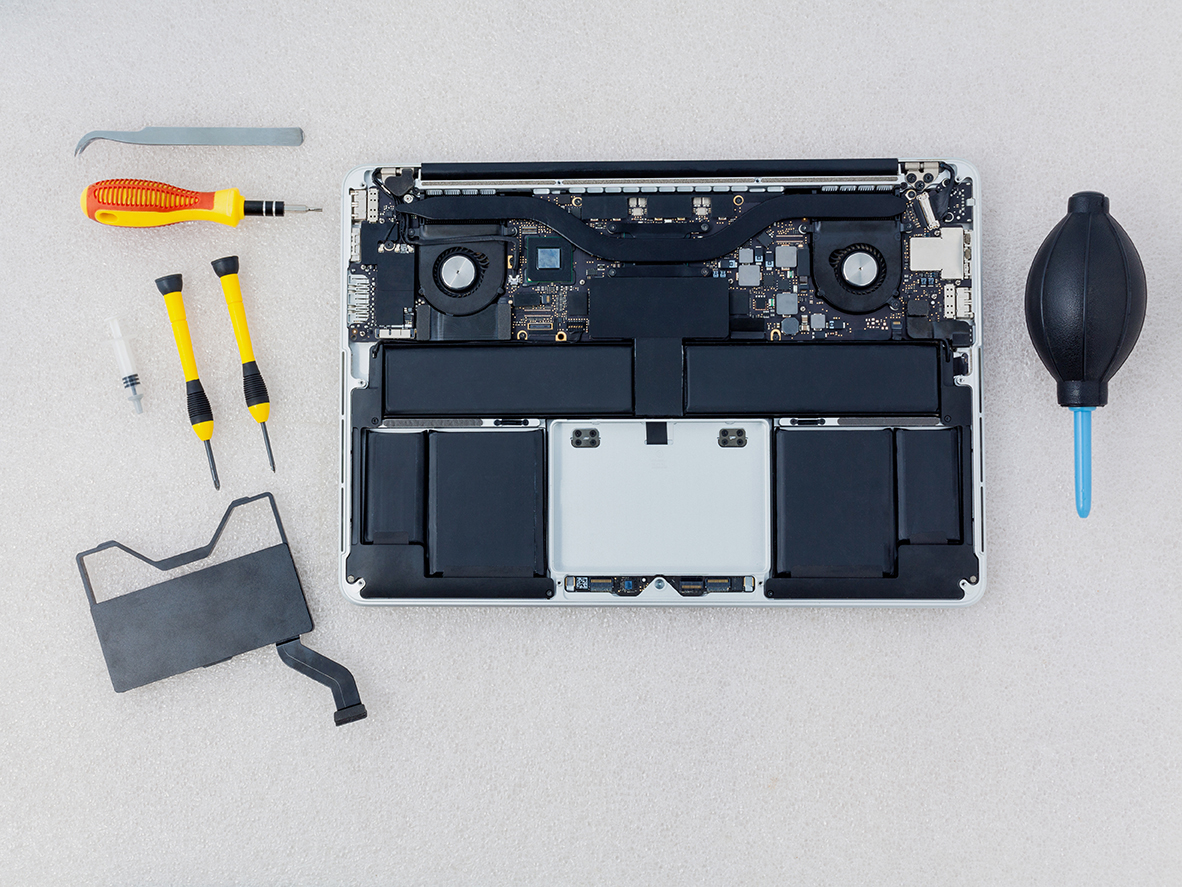
Advanced MacBook Data Recovery Services in Seattle
Recovering data from modern Apple MacBooks requires specialized expertise due to integrated hardware, soldered storage, and proprietary file architectures Seattle Data Recovery. Standard recovery software fails when a device won't power on, so advanced laboratory diagnostics and micro-soldering are needed.
Why Modern MacBook Data Recovery is Unique
- Soldered Storage: On modern Apple Silicon models (M1, M2, M3, and newer), NAND flash memory is soldered directly to the logic board rather than existing as a removable card.
- Hardware-Bound Encryption: Data is encrypted via a key generated inside the Apple processor, making traditional "chip-off" desoldering methods ineffective because separating the NAND chips from the factory-paired CPU permanently scrambles the data.
Our Engineering Approach
When handling dead or non-responsive MacBooks, the recovery protocol relies on component-level intervention:
- Micro-Soldering & Repair: Restoring shorted power rails or damaged components under high-magnification microscopes.
- Firmware and Controller Handling: Bypassing communication failures and stabilizing the data translation layers.
- APFS Extraction: Utilizing specialized equipment to image the Apple File System once the hardware and cryptographic handshake are restored.
Common Failure Scenarios
- Liquid Damage: Motherboard short circuits from spills.
- No Power / Dead Device: Failures in the USB-C controller or power management IC.
- Boot Loops & OS Corruption: Systems freezing during updates.
- Logical Issues: Accidental file deletion and volume corruption.
Get Started
If your MacBook fails or suffers liquid exposure, avoid repeated power cycling or charging to prevent permanent damage to the NAND flash chips. Contact the Seattle team for a professional hardware assessment.
- Details
- Written by: Seattle Data Recovery
- Category: MacBook Data Recovery
The Storage Architecture
Apple Silicon laptops utilize a unified architecture where raw NAND flash memory cells are soldered directly to the logic board. There is no traditional SSD controller on the flash module; instead, the storage controller fabric, wear-leveling management, and AES-256 hardware encryption engines are integrated natively into the main M-series System-on-Chip (SoC).
Common Failure Vectors
- NAND Power Rail Short Circuits: The 2.5V and 1.8V power lines feeding the NAND flash chips are highly sensitive to liquid ingress or capacitor degradation. A short circuit on these rails pulls down the system architecture.
- High Write-Amplification Block Failure: Low-RAM configurations (such as baseline 8GB models) use aggressive virtual memory swapping. Professional workloads can prematurely exhaust the native Terabytes Written (TBW) structural allowance of the NAND cells, leading to sudden read/write block lockouts.
Field Diagnostics & Symptoms
- The 5V Power Delivery Lock: When connected to a USB-C ammeter, a MacBook with a shorted NAND power rail or dead flash cell will stick permanently at 5V drawing 0.0A to 0.4A. It will refuse to step up to the standard 20V profile required to boot.
- Panic-on-Boot Loop: The Mac power-cycles continuously at the Apple logo or half-loaded progress bar, signaling a cryptographic handshake failure between the Secure Enclave and the system’s
LocalPolicypartition. - Apple Diagnostics Error Codes:
VDH002,VDH004, orSDR001.
Data Recovery Strategy
- Isolate and Clear Power Shorts: Technicians must utilize thermal imaging cameras to locate shorted ceramic capacitors on the NAND power rails. Removing and replacing these components to restore native voltage is required before the Secure Enclave can safely boot and decrypt the file allocation tables.
- The Non-Destructive DFU Revive: If the issue is firmware-based or a corruption of the boot flags, a secondary Mac running Apple Configurator must execute a DFU Revive. Warning: A "Restore" will permanently delete the unique cryptographic keys, rendering the data unrecoverable.
- Advanced Triage Support: If your lab is unable to stabilize the board's power rails, send the unbootable logic board to Seattle Data Recovery for cleanroom microsoldering and chip-level trace repairs.
Subcategories
Macbook Pro Data Recovery
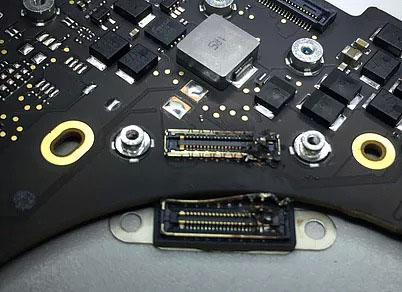
Advanced Laboratory Protocols: MacBook Pro Data Recovery
Recovering data from a failed Apple MacBook Pro requires deep expertise in micro-electronics, cryptographic entanglement, and Apple's proprietary file structures. Over the last decade, Apple transformed the MacBook Pro from a modular laptop with a removable drive into a highly integrated, security-focused computing ecosystem.
At Seattle Data Recovery, we treat MacBook Pro data loss at a hardware component level. Because modern MacBook Pros lack a removable storage drive, standard consumer recovery software is entirely useless if the laptop fails to power on. Our laboratory utilizes advanced diagnostic hardware, low-level firmware emulators, and high-precision micro-soldering stations specifically calibrated for Apple’s APFS (Apple File System) and hardware encryption engines.
The Architecture Tiers of MacBook Pro Storage
To safely extract your files, our engineers must first identify the specific engineering architecture of your MacBook Pro model:
1. The Modern Apple Silicon Era (M1, M2, M3, M4 Models: 2020–Present)
In all modern MacBook Pro models (including the 14-inch and 16-inch variants), there is no separate SSD module inside the machine. The storage consists of raw NAND flash memory chips soldered directly onto the main logic board.
- The Cryptographic Bond: Every piece of data written to these NAND chips is automatically encrypted using an aggressive, hardware-bound AES-256 key generated directly inside the Apple M-series processor. "Chip-off" recovery (desoldering the memory chips to read them externally) is fundamentally impossible. If you separate the NAND chips from their factory-paired CPU, the data permanently becomes scrambled, randomized code.
- Our Recovery Protocol: If your M-series MacBook Pro is completely dead due to a liquid spill, drop, or power surge, our micro-soldering engineers must perform component-level motherboard restoration. Under high-powered microscopes, we isolate and replace shorted capacitors, blown power rails, or fried Power Management ICs (PMICs). The singular engineering goal is to repair the original motherboard to a stable, temporary state so that the CPU can successfully initialize, decrypt its own storage, and allow a full forensic clone to be extracted.
2. The Intel T2 Security Era (Touch Bar Models: 2018–2020)
During this transition period, MacBook Pros utilized Intel processors but integrated Apple's proprietary T2 Security Chip to manage secure boot and hardware-level encryption. Like modern M-series laptops, the flash storage chips are permanently soldered to the motherboard.
- Our Recovery Protocol: If the motherboard suffers a catastrophic failure that cannot be repaired using standard component replacement, our engineers must perform a delicate Cryptographic Chip Transplant. We must cleanly desolder the original CPU, the T2 chip, and the original NAND flash storage chips, reball them, and transplant the entire interconnected group onto a matching, functional donor logic board to restore the encryption path.
3. The Legacy Intel Era (Pre-2018 Models)
Older MacBook Pros feature either traditional 2.5-inch mechanical hard drives (Non-Retina models) or proprietary removable Apple SSD "blades" (Retina models from 2012–2015, and the 2016–2017 Non-Touch Bar Function Key models).
- Our Recovery Protocol:
- Removable SSDs: We extract the proprietary Apple SSD blade and place it into specialized hardware imagers (like the DeepSpar or PC-3000) that can directly manage degrading flash sectors and native Apple communication protocols.
- Mechanical Drives: If your older MacBook Pro is clicking or beeping, the internal mechanical drive has suffered a physical head crash or a seized motor. These units are safely moved to our ISO 5 Cleanroom for physical component repair and donor part replacement.
Critical Emergency Protocol for Failed MacBook Pros
If your MacBook Pro suddenly flashes a Folder with a Question Mark, presents an encryption login loop, or completely refuses to power on, your immediate actions dictate the survival rate of your data:
- Stop Continuous Power-Cycling: If a MacBook Pro is failing or overheating, repeatedly holding down the power button to force reboots stresses unstable flash memory cells or failing power rails. If an internal component is shorted, continuous electricity can cause a thermal event that permanently cooks the nearby NAND chips.
- Avoid Target Disk Mode / Share Mode on Unstable Hardware: While Share Mode is a useful utility for healthy machines, forcing a MacBook Pro with degrading storage sectors or unstable logic board voltages to host a high-speed data stream will quickly cause the storage controller to permanently lock up or fail.
- Say No to Built-In "First Aid" Repairs: If your Mac's file system structure is unstable, running Disk Utility's First Aid or terminal commands like
fsckwill force aggressive write commands onto the volume. On an already failing APFS container, this can corrupt the master file system indexes, rendering data unrecoverable.