

Call 1 (425) 406-1174 to start a Data Recovery!
Hard Drive Repairs
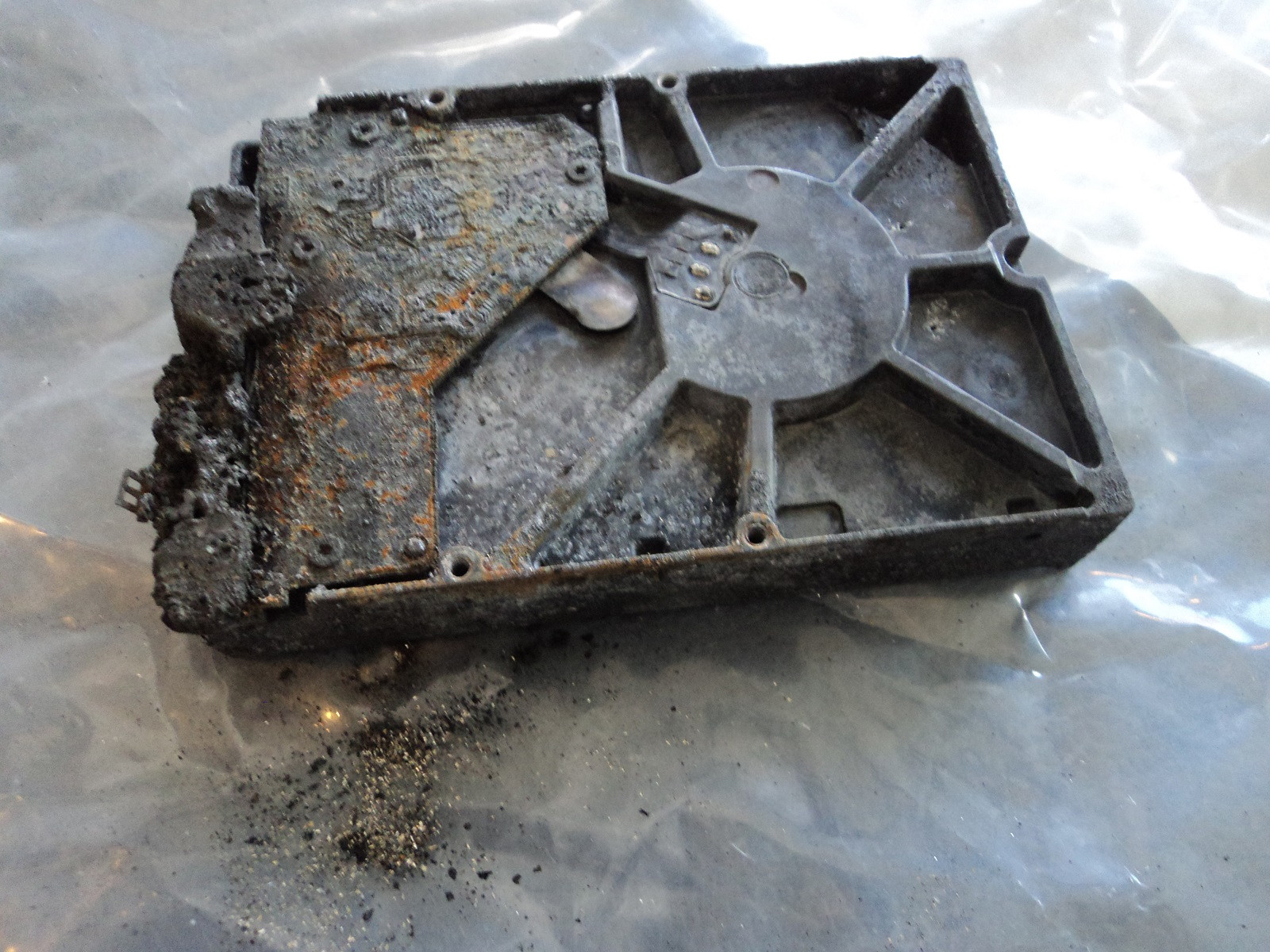
Hardware-Level Hard Drive Repair for All Brands by Seattle Data Recovery
Universal Failure Tiers & Brand-Specific Engineering Protocols
Western Digital (WD): Bypassing Integrated USB & Encryption
- The Hardware Hurdle: Most portable WD drives (like the My Passport series) do not feature a standard SATA connector. Instead, the USB port and a hardware encryption chip are soldered directly to the main Printed Circuit Board (PCB).
- Our Repair Protocol: If the board suffers a short circuit or the USB port breaks, our technicians perform precision micro-soldering. Under magnification, we tap directly into the drive’s core SATA transmission lines on the board, routing them out to our diagnostic hardware while keeping the encryption chip active to prevent data scrambling.
Seagate: Resolving Seized Spindles & Firmware Loops
- The Hardware Hurdle: Seagate drives feature a compact mechanical design that makes them prone to a "seized spindle motor" or stuck heads if dropped. Additionally, their Media Cache architecture can get trapped in a permanent firmware lock loop when it hits corrupted data sectors.
- Our Repair Protocol: For stuck components, the drive is moved to our dust-free cleanroom where engineers use specialized mechanical tools to safely unstick the head assembly or cleanly migrate the platters to a matching donor chassis. For firmware loops, we link directly to the drive’s system terminal to patch its internal code via RAM commands.
Toshiba: Clearing G-Sensor Lockouts
- The Hardware Hurdle: Toshiba external lines (Canvio series) feature built-in hardware accelerometers (G-Sensors) designed to instantly lock the drive if motion is detected. A sudden drop can trap the drive in a defensive, non-responsive firmware loop.
- Our Repair Protocol: Much like WD, modern Toshiba portable drives utilize integrated USB boards. We convert the native board to a raw SATA path, allowing us to transmit low-level commands that clear out the persistent error logs trapped in the drive’s system memory, stabilizing the controller for data mirroring.
HGST / SanDisk Professional: Enterprise Multi-Platter Alignment
- The Hardware Hurdle: HGST and G-Technology drives spin at higher RPMs (7200 RPM) and often feature tight, multi-platter stacks. They use highly unique NVRAM chips on their PCBs containing custom adaptive alignment data for that specific drive's internal read/write heads.
- Our Repair Protocol: If the PCB fails due to power surges, a simple board swap will fail. Our technicians desolder the original microscopic NVRAM chip and cleanly transplant it onto a perfectly matched donor PCB. Mechanical repairs are performed with absolute precision to maintain the alignment of the multi-platter stack.
The Seattle Data Recovery Hardware Repair Process
- The Cleanroom Inquest: If a drive is clicking, grinding, or beeping, it is never powered on in a standard room. It is opened strictly inside an ISO 5 Cleanroom environment where airborne particles are filtered down to microscopic levels. This prevents dust from landing on the platters and permanently scratching away data.
- Donor Part Matching: Physical part replacements require an incredibly precise match. We maintain an extensive inventory of donor drives, matching not just the model number, but also manufacturing dates, site codes, and internal pre-amplifier revisions.
- Forensic Cloned Imaging: Repaired hard drives are highly unstable and are never meant to be returned to normal use. Once the drive spins up smoothly, it is immediately attached to a hardware imager to create a bit-for-bit digital clone. We extract your data safely from this healthy clone.
Emergency Guidelines: Protect Your Media from Permanent Loss
- Disconnect Power Immediately: If the drive is making unusual sounds (clicking, beeping, buzzing), pull the plug. Keeping it powered on can cause a broken read head to physically dig into the spinning platter, shredding your data into unrecoverable dust.
- Say No to DIY Software: File recovery programs are designed for healthy drives with deleted files. Forcing software to scan a drive with a physical head or firmware failure will rapidly overheat and permanently destroy the unit.
- Do Not Open the Drive Casing: Cracking open a hard drive cover outside of a certified cleanroom immediately ruins the drive's internal environment, exposing the platters to millions of microscopic airborne contaminants.
- Details
- Written by: Seattle Data Recovery
- Category: Hard Drive Repairs
Firmware Matters More Than Ever in Your Apple Devices
In today's digital age, your Apple devices are more than mere gadgets — they are vital tools for work, communication, and entertainment. But what happens when your trusted Mac or MacBook suddenly hits a wall due to firmware issues? The truth is, firmware is the unseen backbone that keeps your drives functioning smoothly. When it becomes corrupted, it can cause severe problems, from data loss to total drive inaccessibility.
Seattle Data Recovery stands at the forefront of innovative data recovery solutions. With specialized tools like PSIClone and CPR Flash from CPR Tools, they don't just recover data—they restore your device's core functionality through advanced firmware repair. In this post, we will explore how these powerful solutions can save your Apple drives from firmware corruption and what makes Seattle Data Recovery your go-to expert for this task.
The Vital Role of Firmware in Apple SSDs and HDDs
Firmware acts as the essential intermediary between the hardware of your Apple device and its operating system. Whether it's a Toshiba hard drive in your MacBook or a Seagate SSD in your iMac, the internal firmware governs how the drive operates, manages data, and interacts with your system.
Without correctly functioning firmware, even the most advanced drives become unusable. Firmware issues often lead to drive failures, data inaccessibility, or systemic instability. This is why firmware repair, facilitated by tools like CPR Flash, is crucial for maintaining the longevity and reliability of your Apple storage devices.
Recognizing Signs of Firmware Corruption in Apple Drives
Understanding the symptoms of firmware corruption is crucial for taking timely action. Often, drive issues manifest as frequent system freezes, irregular noises, or the sudden disappearance of the hard drive from your system altogether. These warning signs indicate deeper problems, typically related to firmware anomalies.
When these symptoms appear, it's important not to ignore them. Attempting to boot or access data through standard procedures can sometimes exacerbate the problem. Instead, professionals like Seattle Data Recovery employ specialized tools such as PSIClone and CPR Flash to diagnose and repair these issues swiftly and safely.
The Causes Behind Firmware Corruption: Power, Software, and Malicious Attacks
Firmware corruption rarely occurs spontaneously. Several key factors can lead to this critical issue, including power failures during firmware updates, software glitches, or malware infections. Power outages during sensitive operations often corrupt the internal firmware, rendering drives inoperable.
Malware can covertly attack your Mac's firmware, damaging its integrity and longevity. Understanding these causes allows users to take preventative measures, but sometimes, firmware corruption is unavoidable. When it happens, Seattle Data Recovery's expertise in firmware repair becomes invaluable.
Read more: Firmware Repair: Seattle Data Recovery Leads the Way with Advanced Solutions
- Details
- Written by: Seattle Data Recovery
- Category: Hard Drive Repairs
When "Rugged" Fails: Recovering Data from Grinding LaCie d2 & 2big RAID Systems
By Seattle Data Recovery | 2025 Consumer Choice Award Winner
Creative professionals, photographers, and videographers choose LaCie drives for one reason: durability. The bright orange bumper of a LaCie Rugged or the solid aluminum chassis of a d2 Professional implies that your data is safe from the elements.
But while the outside is armored, the inside contains the same delicate mechanics as any other hard drive. And when those mechanics fail, the damage is often catastrophic.
The Myth of Invincibility
We frequently see LaCie Rugged, d2, and 2big RAID systems come into our lab making a sickening chattering or grinding noise.
-
The Irony: The "Rugged" line is designed for impact resistance, but a severe drop or shock can still cause the internal read/write heads to fail.
-
The Sound: A buzzing, whirring, or grinding sound often indicates that the spindle motor is struggling or, worse, that the heads are physically dragging across the platters.
If your LaCie drive is grinding, the rubber bumper cannot save you. The physical components inside—spinning at thousands of revolutions per minute—are destroying themselves.
What That "Chattering" Noise Really Is
When a LaCie d2 or 2big RAID system begins to grind or screech, it signifies a physical head failure. The read/write heads, which should float nanometers above the surface, have collapsed. They are now gouging the magnetic platters, stripping away your photos, footage, and projects. This creates a storm of debris inside the "protective" case that makes standard recovery attempts impossible.
Why Standard Recovery Fails on LaCie Drives
Many general repair shops see a LaCie drive and assume it just needs a new USB-C port or a power supply swap. This is dangerous.
If the drive is making noise, the problem is internal. Opening these drives without the correct environment allows the microscopic debris to settle permanently on the platters. If a technician attempts to swap the heads without first managing this debris, the new parts will fail instantly, sealing the fate of your data.
The Seattle Data Recovery Solution
We specialize in recovering high-value creative assets from failed LaCie storage arrays.
We utilize a proprietary, military-grade debris sequestration protocol.
We do not simply replace parts. We use advanced physics to immobilize the destructive particles generated by the head crash. This allows us to stabilize the drive and extract data from the LaCie 2big and d2 systems that other firms have declared "unrecoverable" due to platter damage.
Award-Winning Service for Creative Pros
We are the recipients of the 2025 Consumer Choice Award for Data Recovery in North America.
We understand that for our clients, a failed drive isn't just lost data—it's a lost portfolio, a missed deadline, or a cancelled contract.
We are not the cheapest option. We are the final option.
Our services are premium, priced to reflect the proprietary technology and extreme care required to save data from a physically destroyed drive.
Immediate Steps to Save Your Portfolio
If your LaCie drive is clicking or grinding:
-
Stop Using It Immediately: Continued operation causes severe, irreversible data damage.
-
Do Not Open the Enclosure: LaCie drives are often tightly sealed; improper opening can damage the internal seals.
-
Contact Us: We have the specific experience required to recover data from LaCie's unique multi-drive and ruggedized architectures.
Seattle Data Recovery
Ballard, Seattle
2025 Consumer Choice Award Winner
Specialists in LaCie Rugged & RAID Recovery
- Details
- Written by: Seattle Data Recovery
- Category: Specialized Recovery for Noisy Hard Drives
The Fine Line Between "High Performance" and "Total Failure": Recovering Noisy Toshiba Hard Drives
By Seattle Data Recovery | 2025 Consumer Choice Award Winner
If you use a Toshiba X300 (Performance), P300 (Desktop), or a Canvio Portable drive, you are accustomed to hearing your drive work.
Toshiba drives, particularly the high-performance X300 (4TB/6TB) and P300 series, are legendary for being "chatty." They are built for speed, often spinning at 7,200 RPM, and their aggressive read/write arms naturally produce a muted clicking or crackling sound during heavy use.
But there is a critical difference between the sound of work and the sound of death.
When that familiar "chatter" turns into a rhythmic click, a loud grind, or a repetitive buzz—and your files become inaccessible—the drive has suffered a catastrophic physical failure.
The "High-RPM" Danger Zone
Because many Toshiba drives are designed for high-speed performance, they possess significant rotational energy. When a read/write head crashes in a 7,200 RPM Toshiba drive, it doesn't just stop; it acts like a high-speed lathe.
-
The Scour: The heads dig into the magnetic platters, stripping away the data storage layer.
-
The Debris Field: This creates a massive cloud of microscopic dust and metallic shards inside the drive case.
-
The Failure Loop: In high-performance Toshiba models, the actuators are powerful. They will often relentlessly try to "find" the data, dragging the broken heads across the platters again and again, grinding your data into unrecoverable dust.
Why "Standard" Data Recovery Fails on Toshiba Drives
Most data recovery shops treat a Toshiba X300 the same way they treat a budget laptop drive. They open it, swap the heads, and hope for the best.
This approach destroys data.
In a high-speed Toshiba drive, the debris from a head crash is often fine, magnetized, and abundant. If a technician simply swaps the heads without neutralizing this environment, the debris will instantly shred the new components.
Seattle Data Recovery takes a different approach.
We utilize a proprietary, military-grade debris sequestration protocol.
We understand the specific airflow and internal physics of Toshiba’s high-performance architectures. Instead of fighting the debris, we use advanced physics to sequester and immobilize it. This allows us to stabilize the drive and recover data from platters that other firms would reject as "too scratched."
Award-Winning Excellence in Seattle
We are the recipients of the 2025 Consumer Choice Award for Data Recovery in North America.
We have earned this distinction by solving the most complex physical failures that others cannot handle.
We are not the cheapest option. We are the final option.
Our service is designed for clients who cannot afford to lose their business records, creative portfolios, or family archives. We provide a surgical, high-level intervention for drives that are physically destroying themselves.
Immediate Action Required
If your Toshiba drive is grinding and not mounting:
-
Kill the Power: Do not let it spin. The "grinding" noise is the sound of your data being erased.
-
Do Not Freeze It: Old myths will only cause condensation and further damage to the platters.
-
Contact Us: Bring it to the specialists who understand high-performance recovery.
Seattle Data Recovery
Ballard, Seattle
2025 Consumer Choice Award Winner
Specialists in Toshiba Performance & Portable Recovery
- Details
- Written by: Seattle Data Recovery
- Category: Hard Drive Repairs
Stiction occurs when the read/write heads become physically bonded to the platter surface, usually due to impact, humidity, or a sticky residue on the platter's protective lubricant layer. This results in the drivze not spinning up (often a buzzing or quiet whine). This is the first critical mechanical step.
|
Step |
Procedure |
Critical Challenge/Risk |
|---|---|---|
|
1. Cleanroom Opening |
The drive cover is carefully removed in the cleanroom to expose the platters and head assembly. |
Dust and contaminants must be prevented from entering the enclosure. |
|
2. Head Unsticking |
A specialized head unsticking tool (often a thin, non-abrasive spatula or pick specific to the drive model) is used to gently create leverage to lift the head sliders off the platter surface. |
Forcing the head to break free will rip the magnetic layer (data) right off the platter, causing permanent data loss. |
|
3. Parking the Heads |
Once the heads are freed, they are immediately moved to their designated parking ramp or secured using head combs. |
Even a brief, uncontrolled movement of the freed head over the platter can cause destructive scoring. |
|
4. Post-Unstick Diagnosis |
After freeing the heads, the heads and platters must be inspected under a microscope (see 3.2) for physical damage. |
The act of stiction often damages the heads or platters. If damage is found, a full head swap (3.3) is required. |
- Details
- Written by: Seattle Data Recovery
- Category: Firmware (System Area)
- Disable Auto-Relocation: Use a data recovery console to modify the drive’s RAM operating parameters, disabling background auto-reassignment and smart error logging. This prevents the failing drive from writing more defects to the SA during diagnostics.
- Extract Corrupted Defect Lists: Issue direct vendor-specific commands (VSC) to read the P-List (Primary/Factory Defect List) and the G-List modules from the platters.
- Clear G-List Overflows: If the translator is locked due to an overflow, export the G-List entries, parse out systemic tracking errors, and safely clear the module to zero out the buffer.
- Execute Translator Recalculation: Trigger the internal firmware command for Translator Reconstruction (e.g., Regenerate Translator in Seagate F3 architecture). This forces the microcode to re-map physical sectors while omitting the hard factory defects found in the P-List.
- Initialize Virtual Translator: If the platter surface containing the translator track is physically scratched, load a custom, virtualized translator directly into the drive’s volatile RAM chip on the PCB. This allows the drive to read data sectors without ever looking at the broken platter zone.
- Data Shifting: If the translator is rebuilt using an inaccurate or truncated P-List, the entire data alignment shifts out of place. The drive will appear fully readable, but every single sector will contain corrupted raw scrambled data instead of true file structures.
- Firmware Hangs: Halting a translator calculation midway through its write cycle can leave the drive in an unbootable state that requires physical ROM de-soldering to unlock.
Subcategories
Platters
- What it is: Flat, circular metal or glass discs coated in a magnetic material that physically store all digital data.
- Common failures: Head crashes (where read/write heads scratch or gouge the magnetic surface), bad sectors (unreadable data blocks), and physical warping from severe heat or drops.
Read/Write Heads
- What it is: Tiny sensors mounted on the tip of the actuator arm that float a microscopic distance above the spinning platters to read and write data.
- Common failures: Head crash (contact with platters), head stiction (heads getting permanently glued or stuck to the platter surface), and actuator/head degradation causing clicking or beeping noises.
Actuator Arm & Voice Coil Actuator
- What it is: A mechanical arm that sweeps the read/write heads rapidly and precisely across the surface of the platters, controlled by a magnet and coil assembly.
- Common failures: Failed actuator motor/assembly, mechanical binding, or inability to track and position the heads accurately.
Spindle Motor
- What it is: The motor located beneath the platters that spins them at high speeds (typically 5,400 to 7,200 RPM).
- Common failures: Seized motor (failure to spin up, often making a faint ticking, beeping, or humming sound) or worn bearings that cause grinding noises and wobbling platters.
Printed Circuit Board (PCB / Controller Board)
- What it is: The external green or black circuit board attached to the bottom of the drive that translates signals, controls the motor, and manages data flow.
- Common failures: Electrical short circuits or component burn-out caused by power surges, static discharge, or a faulty power supply, which can render the drive completely dead ("no power/no spin").
Firmware (System Area)
- What it is: Low-level internal software stored on a reserved portion of the platters and PCB that boots the drive and tells the heads how to operate.
- Common failures: Firmware corruption from bugs, improper updates, or unexpected power loss, which causes the drive to spin up but fail to be recognized by the computer.
Cache Memory (DRAM)
- What it is: A small, high-speed volatile memory chip on the PCB that temporarily holds frequently accessed data.
- Common failures: Data corruption or chip failure due to voltage spikes or overheating.
Air/Breather Filter
- What it is: A tiny internal filter that equalizes internal air pressure with the outside while trapping microscopic dust particles.
- Common failures: Clogging or seal failure that lets dust and moisture inside, leading to platter contamination and corrosion.
Data and Power Connectors
- What it is: The physical pins/ports that plug the drive into the computer's motherboard and power supply.
- Common failures: Bent or broken pins, loose cable connections, or corroded contact pads.
Bureau of Intelligence and Research Certificates








