

Call 1 (425) 406-1174 to start a Data Recovery!
RAID Array Data Recovery
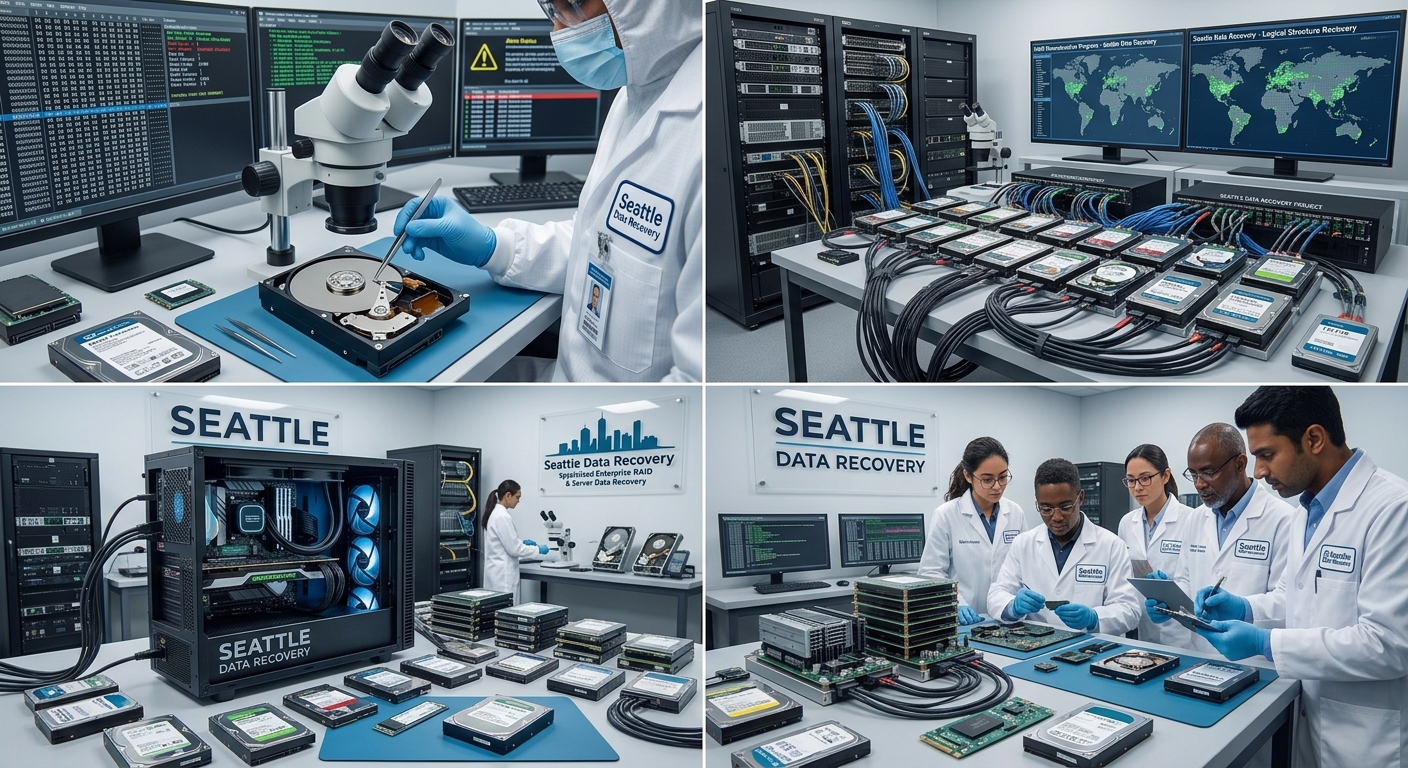
High-Stakes RAID Recovery Scenarios in the Seattle Tech Corridor
- Multi-Drive Failures in Redundant Arrays (RAID 5 / RAID 6): While RAID 5 can tolerate a single disk failure, massive electrical surges—such as those caused by winter windstorm power grid drops in Seattle—frequently force two or more drives offline simultaneously, causing the entire logical volume to collapse.
- NAS Controller and Enclosure Failures: In many business environments, the physical disks remain entirely healthy, but the underlying hardware controller or internal Linux-based file system metadata (
mdadmconfigurations, ext4, or Btrfs) becomes severely corrupted, rendering the network shares completely unreadable. - RAID 0 Striping Failures: Because RAID 0 focuses entirely on speed by striping data across multiple drives without any built-in parity or redundancy, the failure of just one single drive instantly destroys the entire file structure.
Institutional Case Study: RAID 0 Emergency Recovery for the Catholic Church in Washington State
The Technical Challenges & Risks
The Laboratory Intervention Workflow
- Hardware-Level Diagnostic Isolation: The failed physical drive was isolated inside our ISO 5 cleanroom. Engineers bypassed the broken hardware controller entirely, using advanced hardware emulators to stabilize the drive's microcode and read the unstable sectors safely.
- Bit-Stream Raw Cloning: Write-blocked, sector-by-sector clones were generated for every single drive in the array. This process ensured that the original parish school drives remained completely unaltered, preserving a strict evidentiary forensic standard.
- Virtual Block Realignment & Re-Stitching: Utilizing proprietary software emulation tools, our specialists calculated the original controller's block size, drive ordering, and offset parameters. This allowed us to virtually reconstruct the striped data architecture without needing the original broken server hardware.
- 100% File System Extraction: By successfully rebuilding the virtual parameters, the laboratory bypassed the corruption and extracted 100% of the uncorrupted files, safely exporting the school’s entire historical and operational infrastructure onto modern, secure solid-state storage.
Secure B2B Intake at Our Ballard Laboratory
- Details
- Written by: Seattle Data Recovery
- Category: RAID Array Data Recovery
In the bustling heart of Seattle's Ballard neighborhood, where innovation meets reliability, Seattle Data Recovery emerges as the foremost authority in salvaging data from failing NAS and RAID arrays. Whether facing severe hardware malfunctions or subtle logical errors, our expertise shines through, particularly in restoring drives built with WD Red Plus—the cornerstone of many enterprise server ecosystems. As the demand for robust data solutions grows, understanding the nuances of RAID data recovery becomes pivotal. The following sections delve into the intricacies of data recovery, offering insights into common pitfalls, potential damages, and effective solutions.
Understanding RAID and Its Marvels
RAID (Redundant Array of Independent Disks) technology, initially conceived to balance performance and redundancy, remains indispensable in modern data management. At its core, RAID functions by combining multiple hard drives into a single unit, enhancing speed, reliability, and storage capacity. However, this complex architecture poses distinct challenges in data recovery.
While RAID designs like RAID 1 and RAID 5 offer fault tolerance by mirroring and distributing data across disks, they are not infallible. Each configuration presents unique vulnerabilities. For instance, RAID 0 prioritizes speed, sacrificing redundancy and making it more susceptible to data loss in the event of drive failures.
Read more: Navigating RAID and NAS Recovery: Trust Seattle Data Recovery

- Details
- Written by: Seattle Data Recovery
- Category: RAID Array Data Recovery
Restoring Trust in Critical Data with Seattle Data Recovery
In today's digital age, data is the backbone of both personal endeavors and professional operations. Losing crucial files—whether due to hardware failure, accidental deletion, or corruption—can disrupt workflows and cause significant setbacks. Fortunately, professional data recovery services, such as Seattle Data Recovery, provide a lifeline for those facing data loss, especially from advanced network-attached storage devices like the Western Digital My Cloud Pro Series.
Seattle Data Recovery's expertise extends across the Puget Sound region, including neighborhoods such as Bellevue, Redmond, Kirkland, and Sammamish. Our team specializes in restoring data from Western Digital's My Cloud Pro Series, a popular choice among creative professionals, media enthusiasts, and enterprises. Our comprehensive approach ensures that your files are recovered intact, complete with our promise to preserve the folder structures, filenames, and original organization for seamless continuity.
Understanding the Western Digital My Cloud Pro Series: A Professional's NAS Solution
The Western Digital My Cloud Pro Series is a versatile NAS device designed for individuals and small teams who need centralized, remote access to their digital assets. Known for its robust hardware, high-capacity drives, and advanced features, it has become a favorite among creative professionals, media editors, and small businesses. These devices not only store large media libraries but also offer substantial capabilities, such as real-time transcoding and seamless backups.
Despite its reliability, no storage device is immune to failures—whether from physical damage, firmware corruption, or misconfigurations in RAID systems. When data loss occurs on a My Cloud Pro Series, it often leaves users in distress, unsure of how to retrieve their valuable media and project files. This is precisely where Seattle Data Recovery steps in, utilizing advanced tools and expertise to restore the device's data while preserving the original structure and folder hierarchies.
The Complexity of Data Recovery in the My Cloud Pro Series
Recovering data from a Western Digital My Cloud Pro Series is no simple task. The device typically employs RAID configurations—such as RAID 0, 1, 5, or other complex arrangements—designed to provide redundancy and optimal performance. While these are incredibly useful for safeguarding data under normal operations, they complicate recovery efforts when failures occur.
In addition, the device's Linux-based file system (often EXT4) requires specialized recovery techniques that standard consumer software cannot handle effectively. Physical damage to the drives or the enclosure further increases the complexity. For example, if a drive fails physically or the RAID array becomes corrupted, only professional recovery services, such as Seattle Data Recovery, possess the necessary hardware and software tools to disassemble the device, assess each drive, and reconstruct the data accurately.
The Seattle Data Recovery Approach: From Diagnostics to Data Delivery
Our process begins with a complimentary diagnostic and consultation, which enables us to assess the extent of the data loss without any upfront costs. During this initial phase, our technicians carefully assess the internal drives, check for physical damage, and determine the state of the RAID array and file system. This step ensures transparency and provides a clear roadmap for recovery.
Once the diagnostic is complete, we proceed with disassembling and extracting the drive. Our technicians use specialized tools to disassemble the device, minimizing further damage and ensuring safe handling. Following this, we carefully analyze and reconstruct the RAID array if necessary, leveraging advanced software to piece together the broken multilevel architecture. Finally, we search for, recover, and verify individual files, ensuring that the folder hierarchies and filenames remain intact. The cleaned, complete data is then transferred to reliable new storage media for delivery.
Why Professional Data Recovery Is Essential for My Cloud Pro Series Devices
Attempting DIY recovery or using standard software can often lead to permanent data loss, especially with complex systems like the My Cloud Pro Series, which requires expert handling due to its RAID configurations, Linux-based file systems, and potential physical damage. Without proper knowledge, users risk corrupting data further or overlooking critical issues that impede successful recovery.
Seattle Data Recovery's certified technicians possess extensive experience dealing with Western Digital's NAS devices. We utilize specialized hardware, such as cleanroom environments for physical repairs, and advanced software to rebuild RAID arrays. Our professional approach ensures higher recovery success rates, reduces the chances of data corruption, and ultimately saves time and resources for our clients.
Restoring Files from a Damaged My Cloud Pro Series: Step-by-Step
Our recovery approach is meticulous, emphasizing the maintenance of data integrity. After the initial assessment, we proceed with disassembling and inspecting the drives. We then analyze the RAID configuration and attempt to reconstruct the array. This step is crucial because RAID-related failures are complex and require precision engineering to restore the original data layout.
Next, we delve into the Linux-based file system, scanning raw drive sectors to recover individual files and folders without altering their original attributes. We cross-check the recovered data for completeness and integrity, ensuring the folder structure matches its original state before the failure. Our final step involves transferring the recovered data to a new, secure storage device and facilitating a smooth handover to the client, often providing the data via encrypted transfers or cloud links for added convenience.
Neighborhoods Served Across Puget Sound: Bringing Expertise to Your Doorstep
Seattle Data Recovery proudly serves a wide range of neighborhoods across the Puget Sound region, offering fast and reliable data restoration services. Whether you're located in the serene streets of Sammamish, the bustling community of Bellevue, or the scenic areas of Bainbridge Island, our technicians are equipped to handle your Western Digital My Cloud Pro Series data recovery needs.
Our local presence ensures quick response times, personal consultations, and dedicated support. We understand the urgency of data loss and aim to deliver swift, professional service to minimize downtime. Their familiarity with regional infrastructure also enables us to efficiently coordinate on-site visits or provide remote assistance tailored to each neighborhood's specific needs.
The Benefits of Choosing Seattle Data Recovery for Your My Cloud Pro Series Data
When selecting a data recovery service, expertise, reliability, and customer trust are paramount. Seattle Data Recovery distinguishes itself through years of experience, A+ Rated Accredited BBB Lab tools, and a client-first mentality. We dedicate ourselves to delivering not just recovery, but also peace of mind, by ensuring the safety and confidentiality of your data.
Our recovery process emphasizes transparency. We provide a diagnostic, clear quotes, and frequent updates throughout the process. Our technicians work diligently to recover complete folder structures, including all filenames, ensuring your digital assets remain organized and ready for immediate use after recovery.
Why Rely on Professionals? The Risks of DIY Data Recovery from My Cloud Devices
Attempting to recover data from a My Cloud Pro Series device without professional help can be perilous. Inexperienced users often rely on free or low-cost recovery tools that may only work in simple scenarios, but fall short when faced with RAID failures, filesystem corruption, or physical damage. These attempts can inadvertently overwrite or corrupt files, making professional recovery impossible.
Physical repairs or disassembly should only be performed in cleanroom environments to prevent dust contamination and static damage. Without the proper tools and experience, accidental damage can render your data unrecoverable. At Seattle Data Recovery, we mitigate these risks, combining technical mastery with rigorous safety standards, ensuring your data is in safe hands.
Trust Seattle Data Recovery to Bring Your Files Back to Life
Data loss from Western Digital's My Cloud Pro Series can be a stressful experience, but it doesn't have to be the end of your digital assets. With Seattle Data Recovery's proven expertise, specialized tools, and personalized customer care, restoring your files—regardless of complexity—is achievable. Our commitment is to deliver the highest success rates while preserving the original structure, integrity, and security of your data.
When your professional files, photos, or videos are at stake, don't settle for less. Contact Seattle Data Recovery today for a complimentary consultation and take the first step toward reclaiming your digital life. Our dedicated team is ready to serve the Puget Sound neighborhoods with the utmost professionalism and care.
Whether you face a RAID failure, physical damage, or accidental deletion, Seattle Data Recovery is your trusted partner in restoring files from the Western Digital My Cloud Pro Series. Experience the peace of mind that comes with expert recovery services, detailed processes, and a regional commitment to excellence.

- Details
- Written by: Seattle Data Recovery
- Category: RAID Array Data Recovery
The Importance of Reliable Data Recovery
In today's digital world, data loss can be a nightmare for businesses and individuals alike. The reliance on Network Attached Storage (NAS) systems, particularly those using WD Red Plus drives, underscores the need for dependable data recovery services. Whether it's essential corporate data or cherished personal documents, the ability to recover lost information plays a crucial role in preserving business continuity and personal peace of mind. For those in Seattle, Seattle Data Recovery stands out as the trusted solution, particularly in the vibrant Ballard neighborhood.
Seattle Data Recovery has honed its expertise in RAID data recovery, specializing in the intricacies of restoring data from failing WD Red Plus drives. Understanding the complexities of RAID configurations, we provide tailored solutions to recover your data efficiently. Explore common failures associated with RAID systems, dive deep into recovery processes, and outline the steps our skilled technicians undertake to restore your vital information.
The Crucial Role of WD Red Plus Drives in Data Storage
WD Red Plus drives have established themselves as the preferred choice for NAS environments. Engineered specifically for NAS systems, these drives optimize performance while ensuring reliability for data storage needs. Their ability to handle multitasking and enable 24/7 operation makes them particularly suitable for businesses that require consistent access to data.
However, as with all mechanical devices, WD Red Plus drives are not immune to failure. Over time, wear and tear can lead to a range of issues, including spindle seizure and head crashes. Understanding these risks is essential for anyone utilizing these drives, as proactive measures can help mitigate potential data loss.
Read more: Reviving Your Data: The Experts in WD Red Plus Recovery in Seattle

- Details
- Written by: Seattle Data Recovery
- Category: RAID Array Data Recovery
Your Data Deserves a Second Chance
In today's fast-paced digital world, your data is more than just files—it's the backbone of your work, memories, and creative projects. When your Western Digital My Cloud Pro Series NAS device falters due to damage or failure, it can feel like your entire digital universe has been interrupted. But don't despair. Seattle Data Recovery is here to offer a lifeline, restoring your files with precision and care. Our team specializes in recovering data from the complex architecture of the My Cloud Pro Series, ensuring your valuable content is recovered intact and returned to you seamlessly.
Trusting your critical data to amateurs or generic recovery tools often leads to more damage or partial recoveries. Instead, turn to Proven professionals like Seattle Data Recovery, who understand the intricacies of the My Cloud Pro Series and possess the expertise to handle even the most challenging failures. Whether it's physical drive damage, a corrupted RAID array, or a filesystem failure, we are committed to restoring your digital life.
Why Choose Professional Data Recovery for the My Cloud Pro Series?
The Western Digital My Cloud Pro Series is an advanced storage solution designed for creative professionals and teams. Its robust features, like RAID configurations and Linux-based file systems, make it a powerful device—but also introduce complexity when it comes to data recovery. That's precisely why professional recovery services, such as Seattle Data Recovery, are essential. We possess the specialized tools, knowledge, and experience necessary to navigate the sophisticated architecture of your NAS device and ensure a successful recovery.
Attempting to recover data from the My Cloud Pro Series on your own or with basic software can often damage the drives further or result in incomplete data retrieval. Our technicians undertake a meticulous process that preserves your original folder structures and file names, giving you peace of mind that your data will be restored in its original form. Rely on us to handle the intricacies with precision, saving you time, stress, and potential data loss.
The Seattle Data Recovery Advantage: Your Local Expert in Puget Sound
At Seattle Data Recovery, we don't just offer generic data repair—our commitment is to serve the local Puget Sound community with personalized, expert care. We understand the unique needs of residents and businesses in neighborhoods like Sammamish, Mercer Island, Bellevue, and Kirkland. This local expertise translates into faster response times, a deeper understanding of regional storage challenges, and a passionate dedication to restoring your data efficiently.
When you entrust your My Cloud Pro Series device to us, you gain access to a team of experienced professionals who prioritize transparency and quality. Our diagnostics allow us to evaluate your device without any upfront costs thoroughly. From there, we craft tailored recovery strategies to maximize your data's chances of recovery and restore your files with 100% original folder structures and filenames intact.

- Details
- Written by: Seattle Data Recovery
- Category: RAID Array Data Recovery
When Data Disappears – The Stress and the Solution
Imagine this: you're all set to upload your latest project, but when you connect your WD My Book Duo, it suddenly refuses to cooperate. Your heart sinks—the files, the memories, the work you've poured hours into seem lost forever. Whether it's crucial business files or treasured family photos, losing data can be devastating. But don't worry. Seattle Data Recovery is here to help.
We understand the importance of your data, especially for residents of Puget Sound neighborhoods such as Bellevue, Kirkland, Redmond, and beyond. Our team specializes in restoring files and remarkable folder structures from damaged WD My Book Duo drives. No matter how complex your situation, we've got you covered with professional, compassionate, and highly effective data recovery services. Please continue reading to learn how we can revive your lost files.
Why Choose Seattle Data Recovery? Local Expertise Meets Precision
When your WD My Book Duo fails, the last thing you want is to be left in the dark with unhelpful customer service or vague solutions. That's where Seattle Data Recovery stands out. Our local team has deep roots in the Puget Sound region, from Sammamish to Mercer Island and beyond, providing us with a nuanced understanding of common drive issues and the most effective ways to address them.
More than just quick service, we prioritize precision and care. Our technicians utilize state-of-the-art tools and techniques to diagnose the physical and logical issues causing data loss. This tailored approach ensures that you receive your files, complete with their original folder structures and file names, restored exactly as you had them—no confusion, no chaos.
Understanding Your WD My Book Duo – Why It Can Fail
Your WD My Book Duo is a powerful storage solution, packed with features such as RAID options, high-speed USB connectivity, and significant capacity, making it an ideal choice for content creators, small business owners, and everyday users alike. But despite its robustness, like all hardware, it can encounter issues.
Common problems include physical damage caused by drops or power surges, logical errors from improper shutdowns or corrupted files, and controller failures. Sometimes, it might even sound unusual or refuse to turn on. When such signs appear, it's the perfect time to contact Seattle Data Recovery for expert assistance. Our team is experienced in diagnosing and fixing all types of WD My Book Duo issues, restoring your data safely and efficiently.
Professional Data Recovery and When to Call in the Experts
While software tools are available for recovering deleted files or fixing minor issues, complex damage often requires professional intervention. If you notice any physical damage—such as clicking noises, failure to power on, or unusual sounds—professional hardware recovery methods are necessary. Similarly, severe logical corruption may go beyond what basic software can fix.
At Seattle Data Recovery, we utilize advanced techniques, including cleanroom environments for platter reconstruction and head transplants, to safely access the data inside damaged WD My Book drives. Our process begins with an in-depth evaluation and often proceeds with cloning the drive to prevent further loss. Once the drive is stabilized, we extract your data, including folder structures and filenames, and transfer it to a secure storage device. There's no need to worry—your data is in expert hands.
- The Ultimate Guide to RAID Data Recovery: Restoring Your Digital Fortress
- Data Restoration: Seattle Data Recovery Brings Your SanDisk G-RAID SHUTTLE Files Back to Life
- Maximizing Data Integrity and Recovery in NAS Systems: Exploring Solutions from Seattle Data Recovery
- Seattle Data Recovery Restores Seagate IronWolf Plus Drives
Subcategories
RAID Performance
Data Recovery and Seamless Migration to New High-Performance RAID Systems
The Recovery-to-High-Performance RAID Pipeline
Phase 1: Forensic Extraction and Structural Alignment
- Any failing drive members from your old system (whether clicking hard drives, dead SSDs, or a degraded multi-disk RAID) are stabilized inside our ISO 5 Cleanroom or micro-soldering stations.
- We utilize hardware imagers like the PC-3000 to create a bit-for-bit digital clone of your data layers.
- If your original file structure was fractured, our engineers manually recalculate block sizes, parity rotations, and stripe patterns to virtually reconstruct your original databases, virtual machines, or media catalogs onto our secure laboratory servers.
Phase 2: Building Your New High-Performance Storage Array
- All-Flash NVMe RAID Arrays: For hyper-speed video editing bays (4K/8K production) or heavy SQL database environments, we build all-flash arrays that deliver massive input/output operations per second (IOPS) and eliminate mechanical bottlenecks entirely.
- Resilient Enterprise RAID Topologies: Depending on whether your organization prioritizes absolute write speeds or total fault tolerance, we configure new enterprise hardware enclosures into optimized RAID 5, RAID 6, or RAID 10 environments.
- Next-Generation File Systems: We structure the new arrays using cutting-edge, self-healing file systems like ZFS, Btrfs, or modern APFS Containers to ensure maximum data integrity and automatic block-level error checking.
Phase 3: High-Speed Direct-Attached Bitstream Migration
- At Seattle Data Recovery, we bridge our forensic imaging servers directly to your new high-performance RAID enclosure using high-bandwidth pipelines, such as 10GbE/40GbE network interfaces or Thunderbolt 4 / PCIe Direct-Attached Storage (DAS) buses.
- This allows us to pipe your recovered data onto the new drives at maximum hardware line speed, fully verifying every block with cryptographic checksums to guarantee that original file names, date timestamps, and complex directory hierarchies remain 100% intact and uncorrupted.
Enterprise-Grade Compliance and Total Physical Security
- Strict HIPAA & SOC 2 Compliance: We maintain an ironclad internal chain of custody to protect financial ledgers, legal assets, and Protected Health Information (PHI) throughout both the extraction and migration workflows.
- Exclusive Physical Security: Our laboratory is located inside a secure professional medical building with strictly monitored perimeters, minimizing outside traffic and protecting high-value business storage assets.
- Secure Hardware Decommissioning: Old, failed drives that are replaced during the recovery process undergo verified physical destruction, ensuring no data residue ever leaves our laboratory.
Operational Checklist for IT Managers Facing Array Collapse
- Sever Power to Noisy Enclosures: If a drive inside your old array begins clicking or beeping, shut the unit down instantly. Forcing an unstable mechanical drive to keep spinning can physically score the platters, making recovery impossible.
- Do Not Attempt an Automatic "Rebuild" on Failing Hardware: Forcing a degraded RAID to try and rebuild itself with a failing disk puts immense strain on the remaining healthy drives. This thermal and mechanical stress frequently triggers a secondary drive failure, collapsing the volume permanently.
- Deploy Clean Target Media: Never attempt to patch data back onto a drive that has previously failed or shown bad sectors. Temporary software fixes will inevitably drop out again, risking secondary data loss.
Enterprise Storage Data
+------------------------+---------------------------------------+---------------------------------------+

| Feature                | Standard Desktop/Laptop HDD           | Enterprise HDD                        |
+------------------------+---------------------------------------+---------------------------------------+

| Workload Rating        | ~55 TB / year (Intermittent use)      | 550+ TB / year (24/7/365 Continuous)  |
| MTBF (Reliability)     | ~1 Million Hours                      | 2.0 to 2.5 Million Hours              |
| Vibration Tolerance    | Low (Prone to failure in multi-drive) | High (RV Sensors stabilize multi-drive)|
| Warranty & Quality     | 2–3 Years (Standard components)       | 5 Years (Premium, heavy-duty parts)   |
+------------------------+---------------------------------------+---------------------------------------+
- Standard HDDs are designed for typical 8-hour workdays. If placed into a multi-drive server or network-attached storage (NAS) environment, the combined rotational vibration of surrounding disks will quickly degrade and destroy standard consumer drives.
- Enterprise HDDs feature Rotational Vibration (RV) sensors and robust mechanical parts. They are engineered to spin constantly in dense, high-vibration rackmount chassis without losing data integrity.
The Scenario: A client brought us a failing 8-Drive HDD RAID 6 array from a corporate file server.Our Solution: After successfully cloning and recovering 100% of the data in our lab, we didn’t just dump the files onto standard external drives. To ensure business continuity, we rebuilt and transferred the data onto a brand-new Enterprise HDD RAID array utilizing premium enterprise disks. For clients looking to future-proof their operations, we frequently use this opportunity to upgrade them to an Enterprise SSD RAID array, cutting data access times from milliseconds to microseconds.
+------------------------+---------------------------------------+---------------------------------------+

| Feature                | Standard Laptop/Desktop SSD           | Enterprise SSD                        |
+------------------------+---------------------------------------+---------------------------------------+

| Power Loss Protection  | None (Data in transit can be lost)    | Hardware PLP (Capacitors save data)   |
| Write Endurance (TBW)  | Low (Designed for casual usage)       | Extremely High (Constant write cycles)|
| Performance Stability  | High burst, throttles under heavy load| Consistent, sustained peak IOPS       |
+------------------------+---------------------------------------+---------------------------------------+
- Standard SSDs excel at quick bursts of speed—like opening a laptop application or booting up a PC. However, during prolonged business workloads, they quickly overheat, exhaust their cache, and experience severe performance drops. Crucially, they lack protection against sudden power outages.
- Enterprise SSDs feature Power Loss Protection (PLP) via onboard capacitors. If the power cuts out, the drive has enough temporary hardware power to safely flush data from its volatile cache into safe storage. They also boast massively superior Terabytes Written (TBW) endurance ratings.
The Scenario: We recently recovered a premium G-RAID PRO 2 dual-drive hardware array—a high-performance enterprise enclosure relied upon by creative professionals and businesses.Our Solution: To match the exact enterprise-grade quality, speed, and hardware-encrypted reliability of the original system, we transferred the recovered data onto a top-tier SanDisk Professional PRO-G40 ultra-rugged dual-mode drive, ensuring the client's workflow didn't miss a beat.
- High Density: We can fit 4 ultra-fast NVMe M.2 SSDs per single PCIe slot.
- Unmatched Speed: By configuring these in a RAID array, we strip away standard bottleneck limitations, allowing your server to process heavy database workloads, virtual machines, and local applications simultaneously.
- We build massive, hot-swappable arrays using Enterprise 2.5" SSDs.
- These arrays provide the sustained IOPS, hardware-level Power Loss Protection, and structural reliability needed to keep data centers running 24/7/365 without degradation.
RAID 0 (Striping)
Splits data evenly across two or more drives without redundancy or parity. It offers high read and write speeds, but a failure of any single drive destroys the entire array. Requires a minimum of 2 drives.
RAID 1 (Mirroring)
Writes identical data to all drives in the set. It provides high reliability and read performance, but usable storage is cut in half (50% capacity). Requires an even number, with a minimum of 2 drives.
RAID 5 (Striping with distributed parity)
Stripes data and rotates parity information across all drives. It tolerates the failure of a single drive while maintaining good read speeds. Requires a minimum of 3 drives.
RAID 6 (Striping with dual distributed parity)
Similar to RAID 5, but calculates two sets of parity data instead of one. It can survive the simultaneous failure of up to two drives. Requires a minimum of 4 drives.
RAID 10 (RAID 1+0 - Striping of mirrors)
Combines mirroring and striping by creating mirrored pairs and striping data across them. It delivers high performance and strong fault tolerance (tolerating one drive failure per mirrored pair), using 50% of total capacity. Requires a minimum of 4 drives.
RAID 50 (RAID 5+0)
Combines data striping (RAID 0) across multiple RAID 5 sub-arrays. It improves performance and can survive the loss of one drive in each RAID 5 sub-array. Requires a minimum of 6 drives.
RAID 60 (RAID 6+0)
Combines data striping (RAID 0) across multiple RAID 6 sub-arrays. It tolerates up to two drive failures in each RAID 6 sub-array. Requires a minimum of 8 drives.
Bureau of Intelligence and Research Certificates








